[Educational Time Machine EP12] Small Factory, Big Wisdom! Webduino x Smart Factory

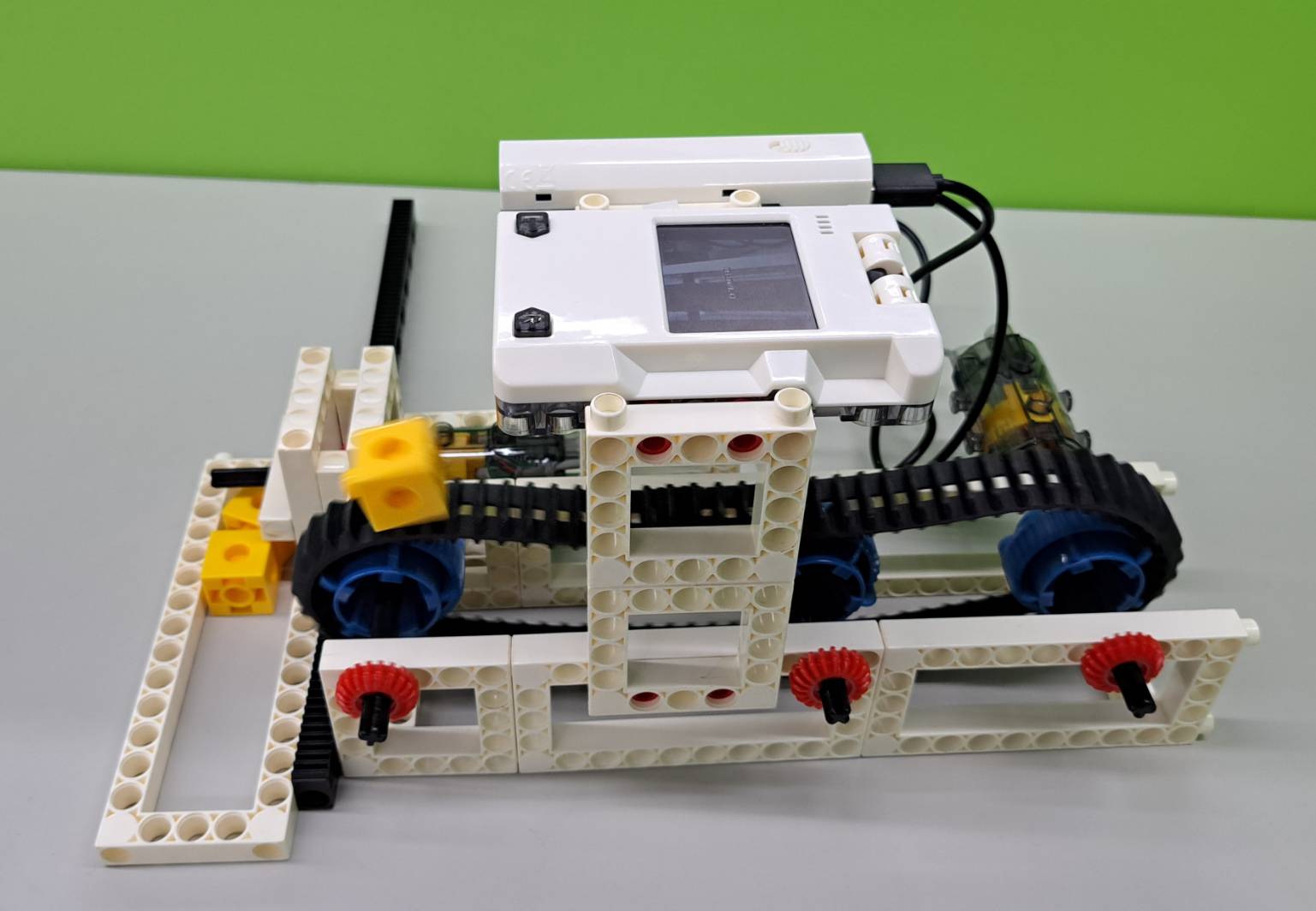
In recent times, AI technology has gradually become widely used, whether it's AI voiceovers, ChatGPT, AI drawing, and more, all of which greatly demonstrate how AI technology is connected to our daily lives. However, have you ever wondered how AI technology is applied in factories?
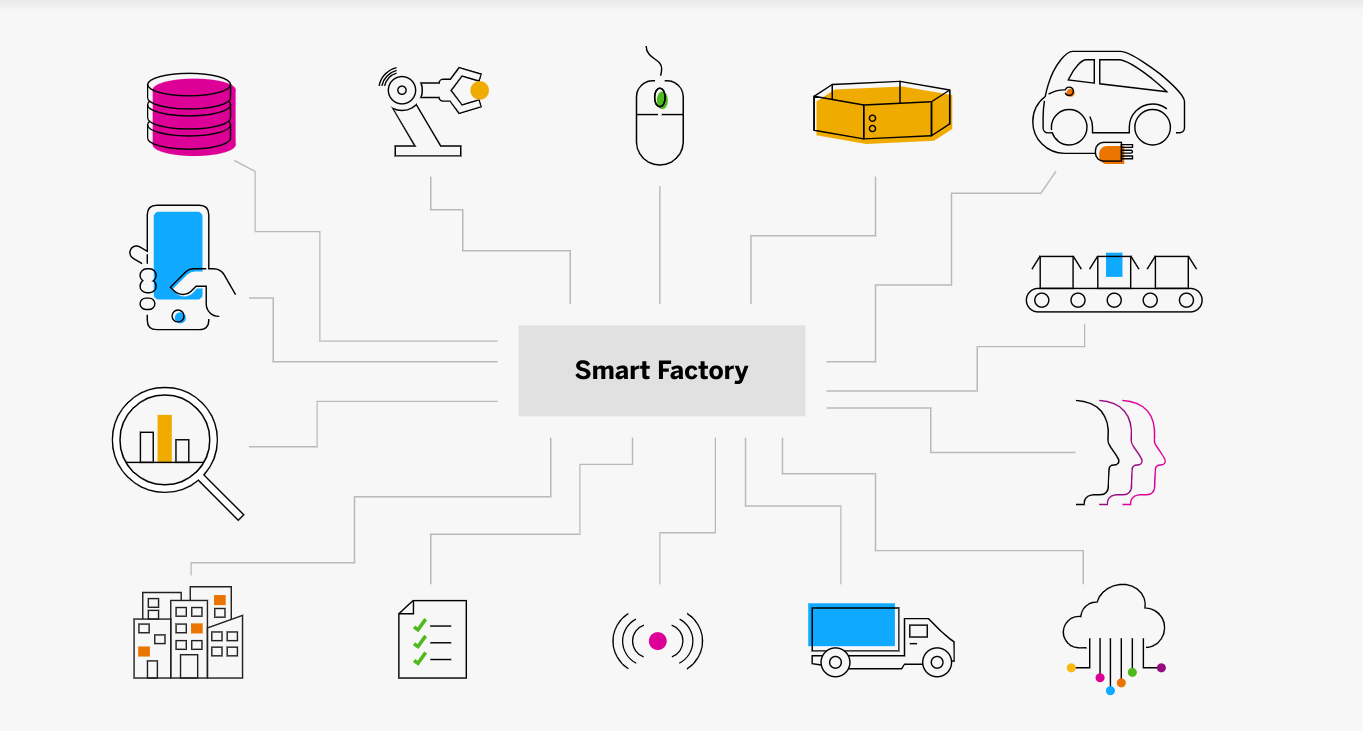
During the COVID-19 pandemic, global businesses faced significant disruptions and operational risks. Digital transformation has become an urgent priority for companies to achieve innovation and competitiveness, giving rise to the concept of smart factories. The "smart" in smart factories comes from their advanced data analysis and data management capabilities. The key to a successful transformation lies in the big data management capabilities of existing enterprise systems and the integration of technologies such as AI, machine learning, and advanced analytics.
Today, let's use #1206 AI EDUCATIONAL BLOCKS to create a smart factory equipped with image recognition. This factory can identify objects and perform transportation tasks!
◆Preparation (10 minutes)
1. Learners are required to update the main control box firmware, connect to Wi-Fi.
Programming Webpage Link: https://webai.webduino.io/#/
Main Control Box Firmware Update Tutorial Video: https://youtu.be/jg0YLk8R4uY
Wi-Fi Connection Tutorial Video: https://www.youtube.com/watch?v=udkU1Kwt4N4
2. Prepare the parts needed for the model.
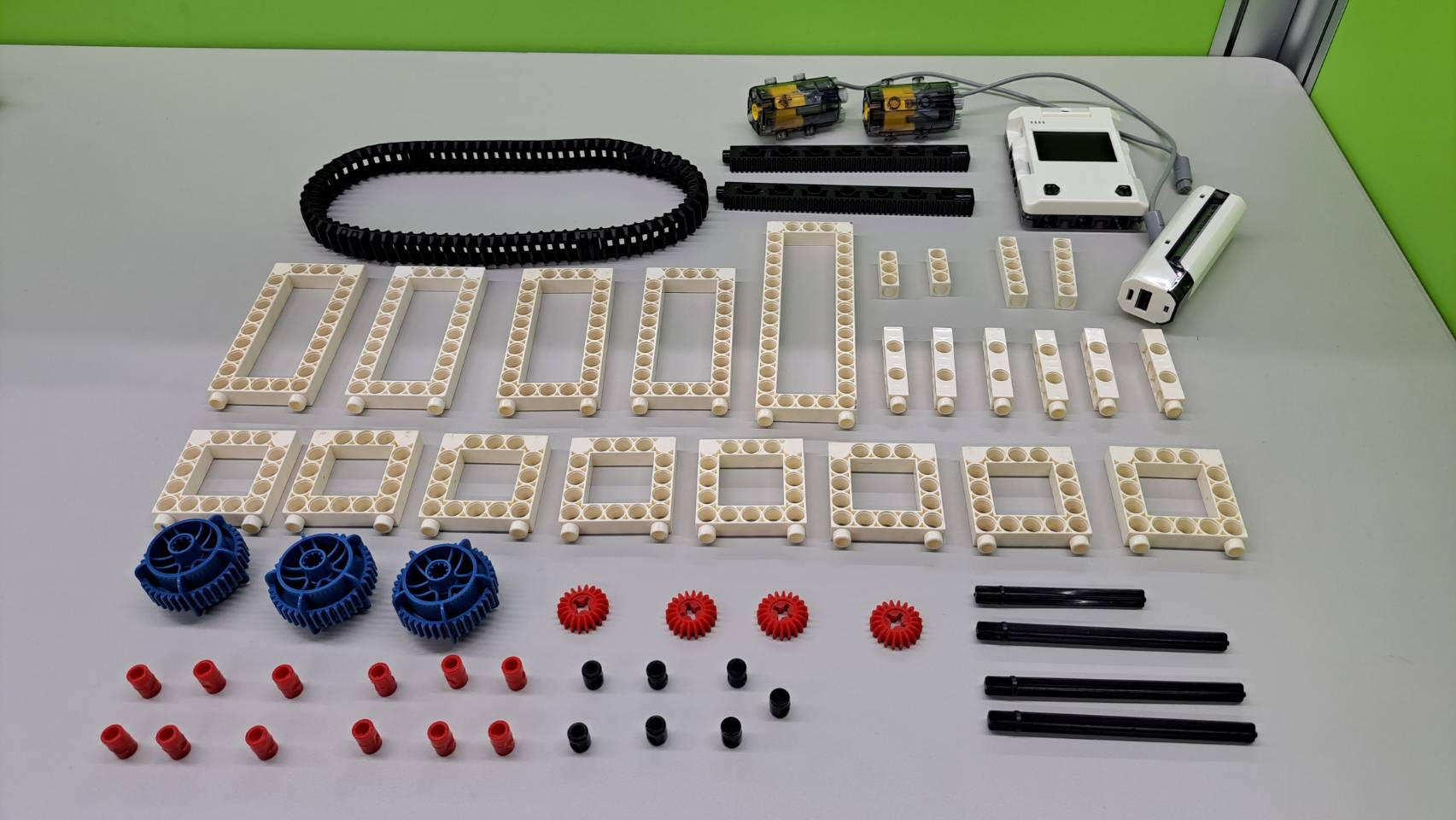
◆Demonstration of model making (35 minutes)
You can follow the assembly steps to make the model step by step.
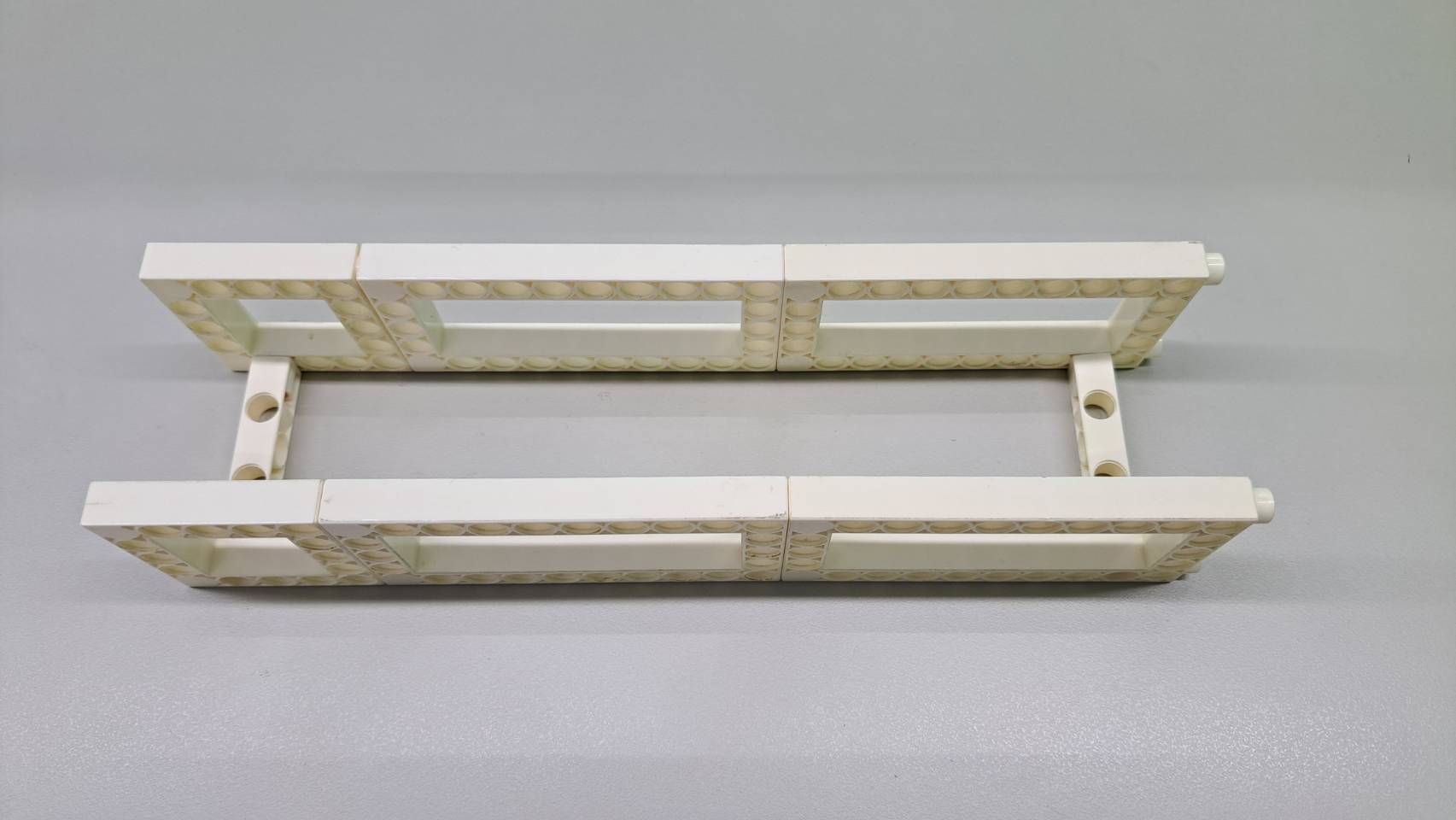
Step 1: Connect the C-5X5 FRAME, C-5X10 FRAME, and C-5 HOLE DUAL ROD according to the following figure to form a framework.
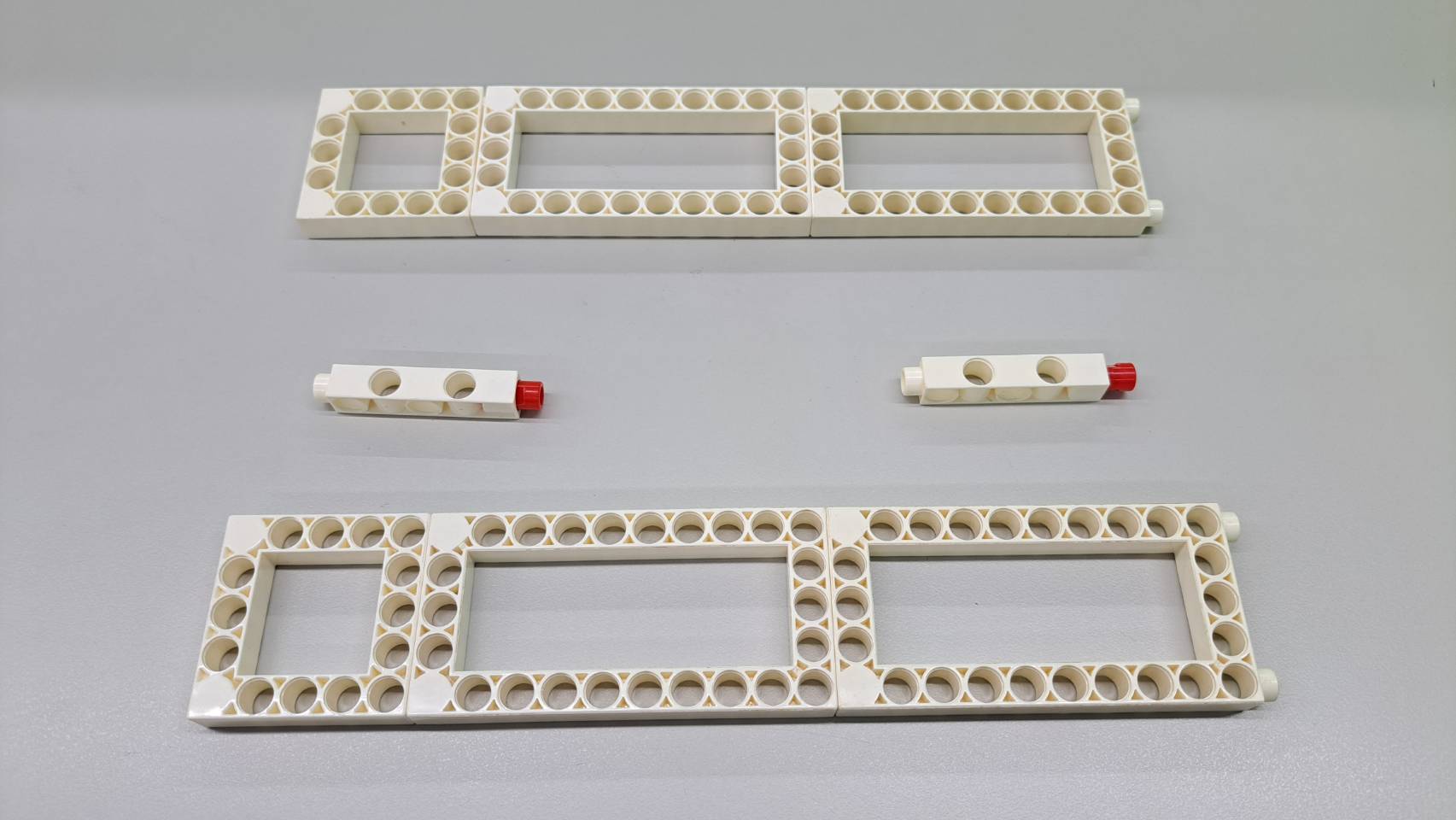
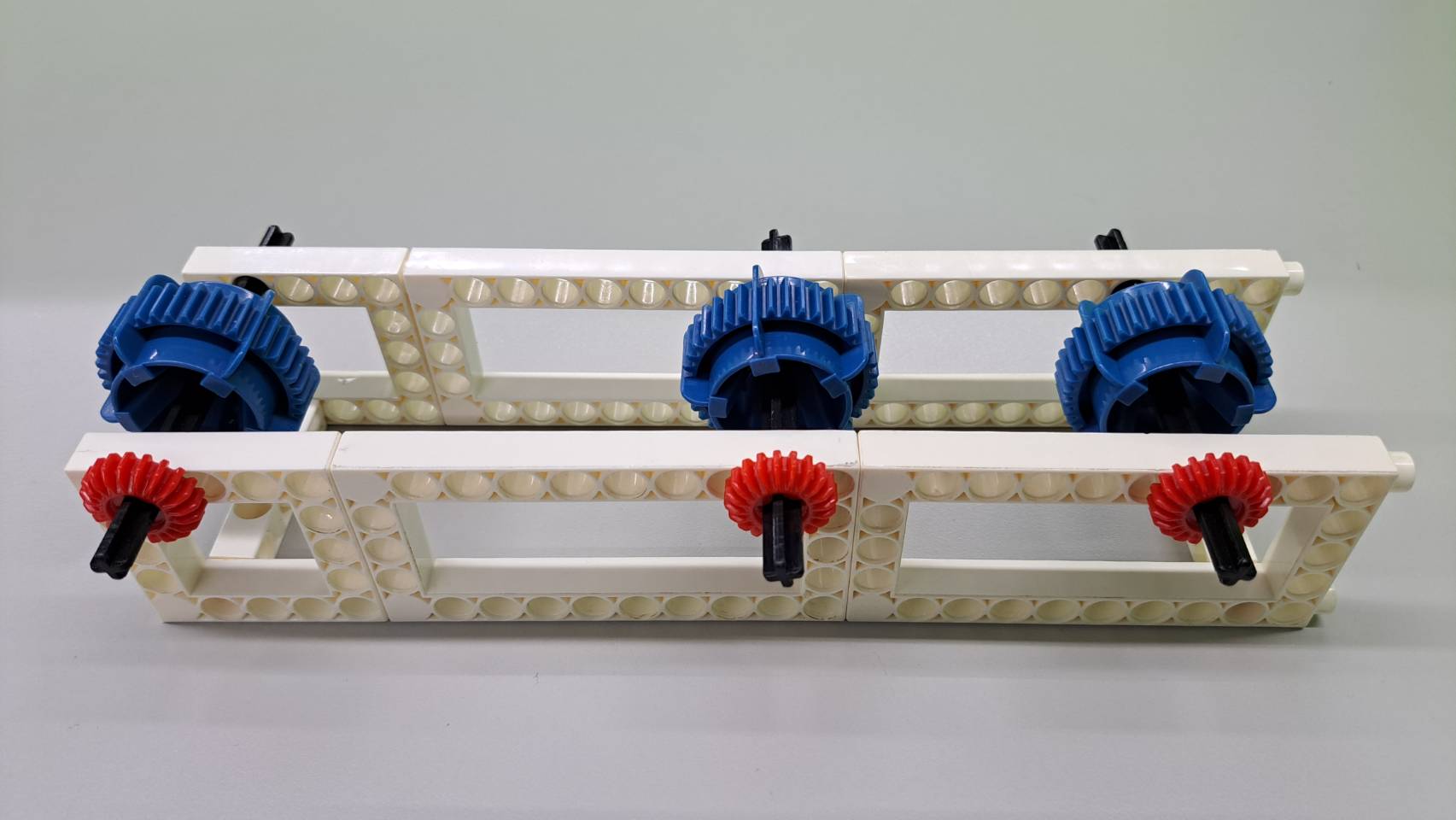
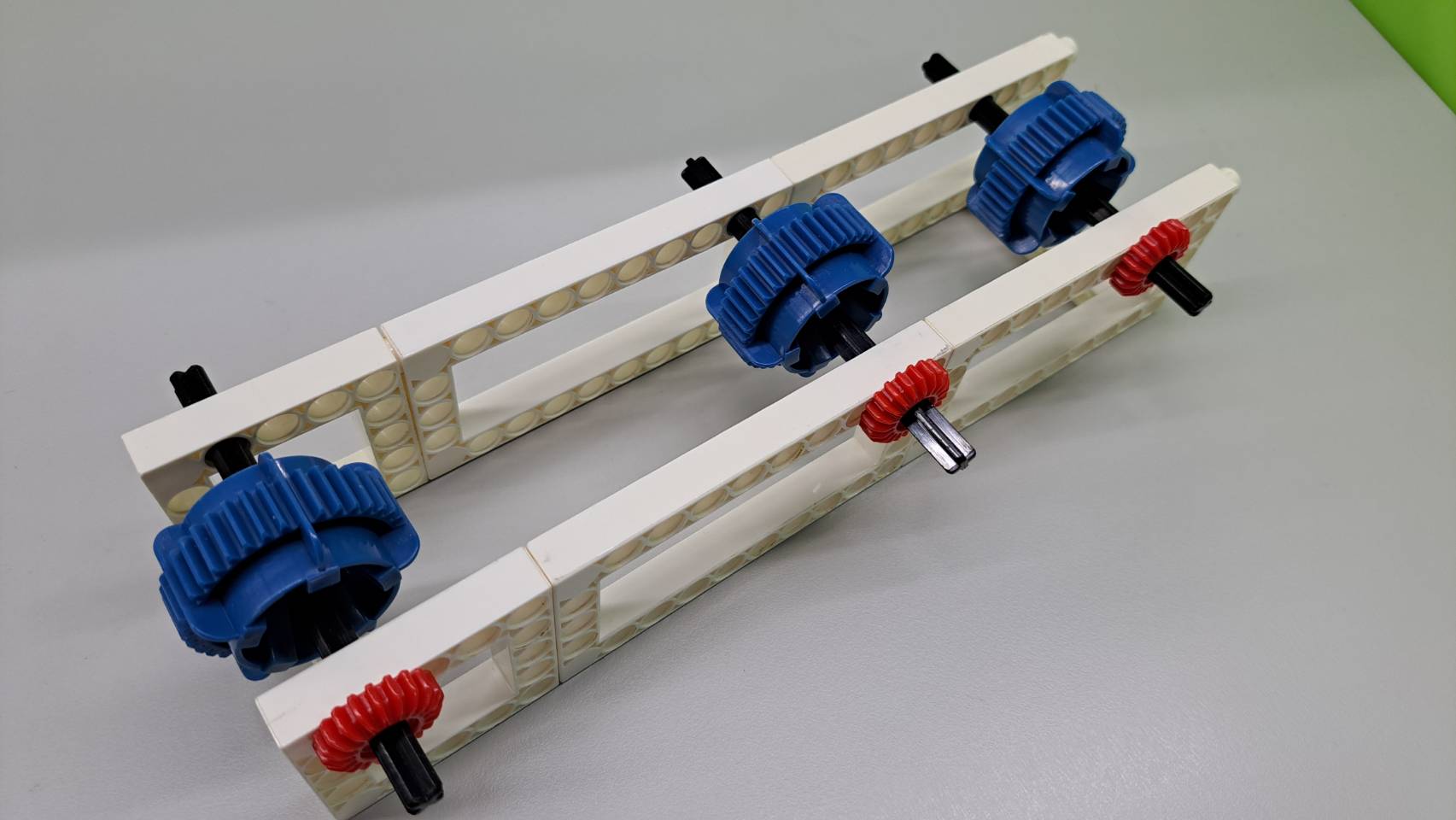
Step 2: Install the axle, C-60T WHEEL FRAME, and C 20T GEAR. Please ensure a proper distance is maintained between each C-60T WHEEL FRAME to facilitate the subsequent installation of the belt.
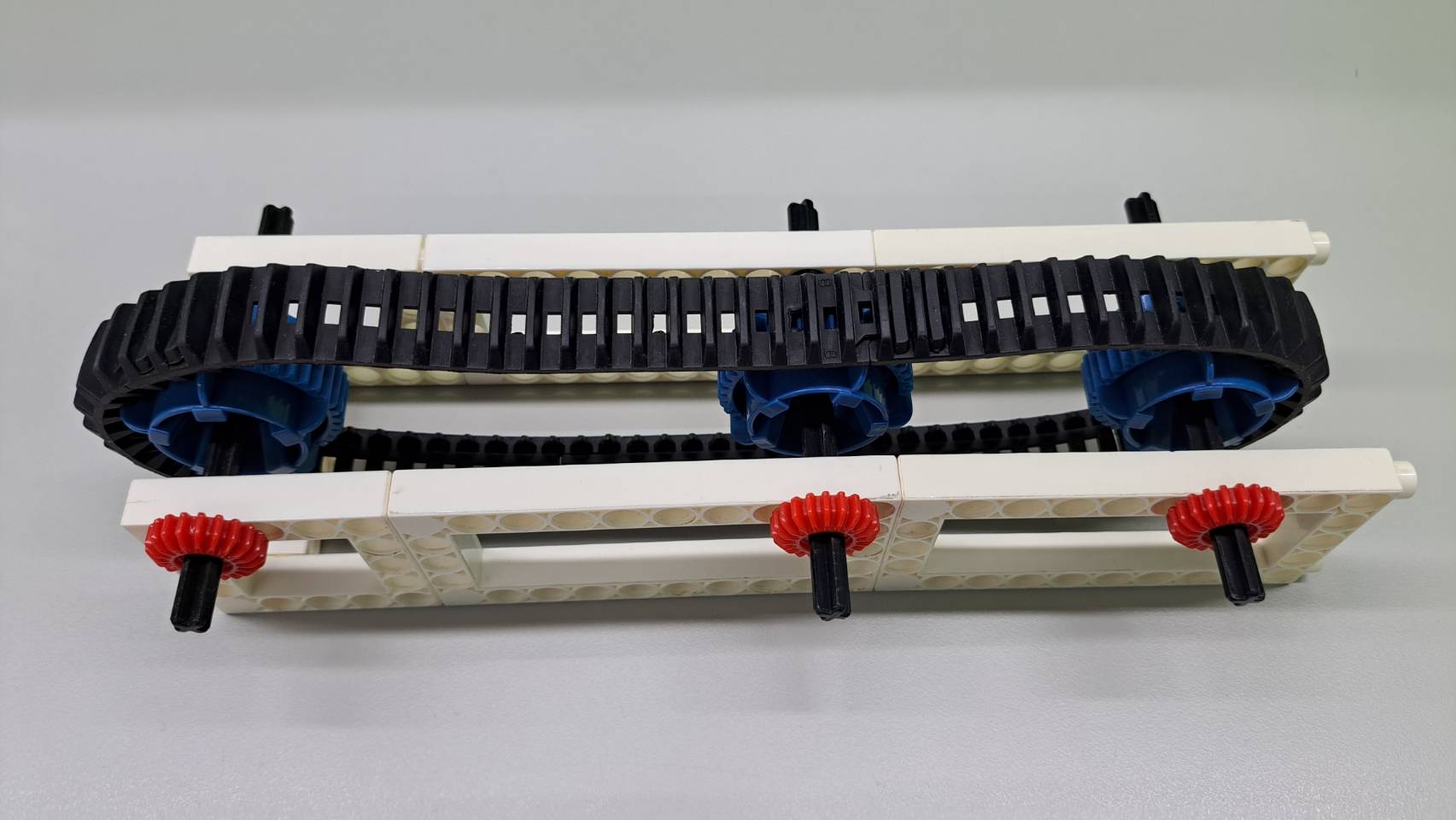
Step 3: Use two C-20T BELT and two C-21T BELT as conveyor belt.
Step 4: Pair the motor with B-SHORT PEG and install it on the first C-60T WHEEL FRAME.
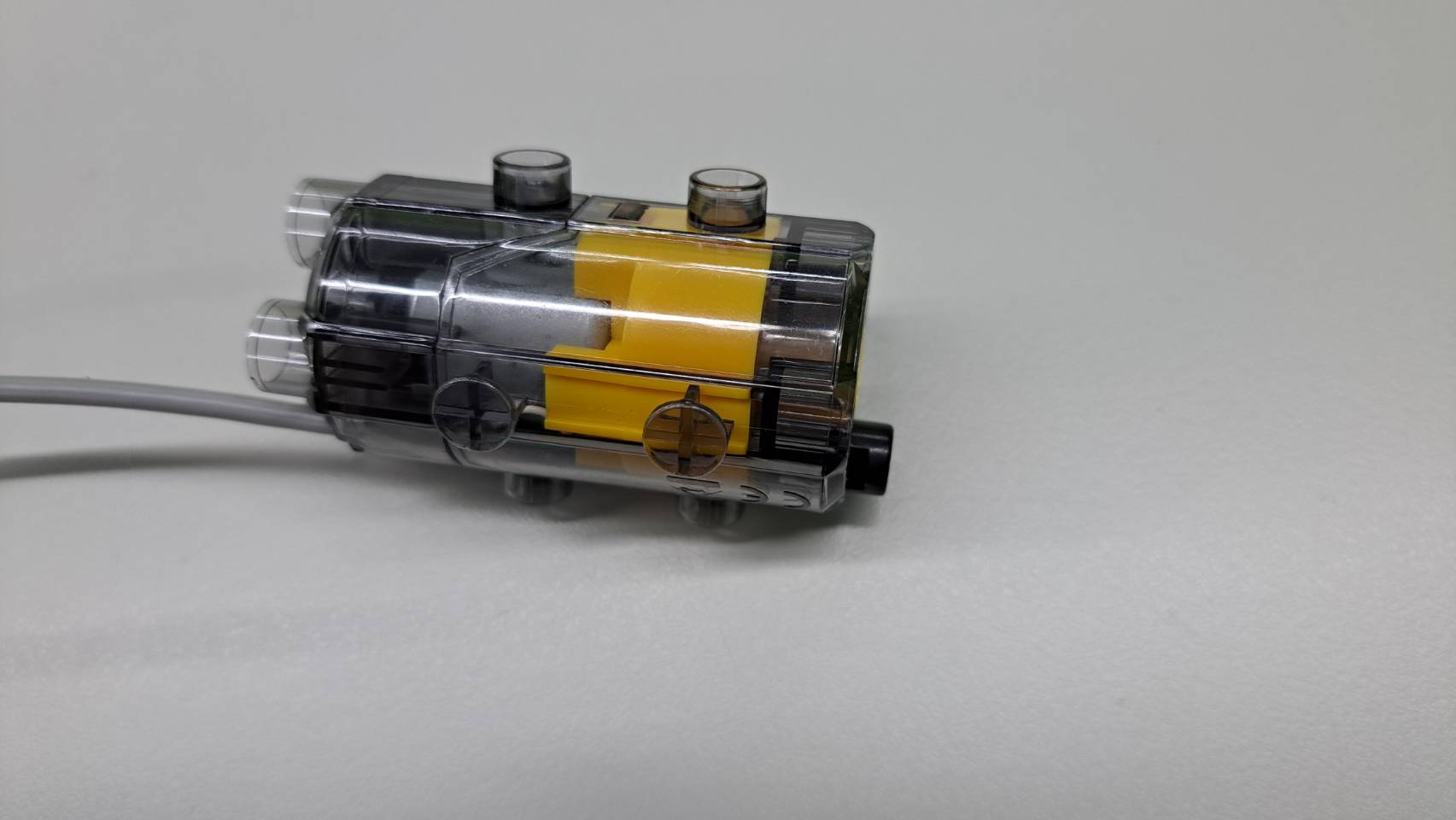
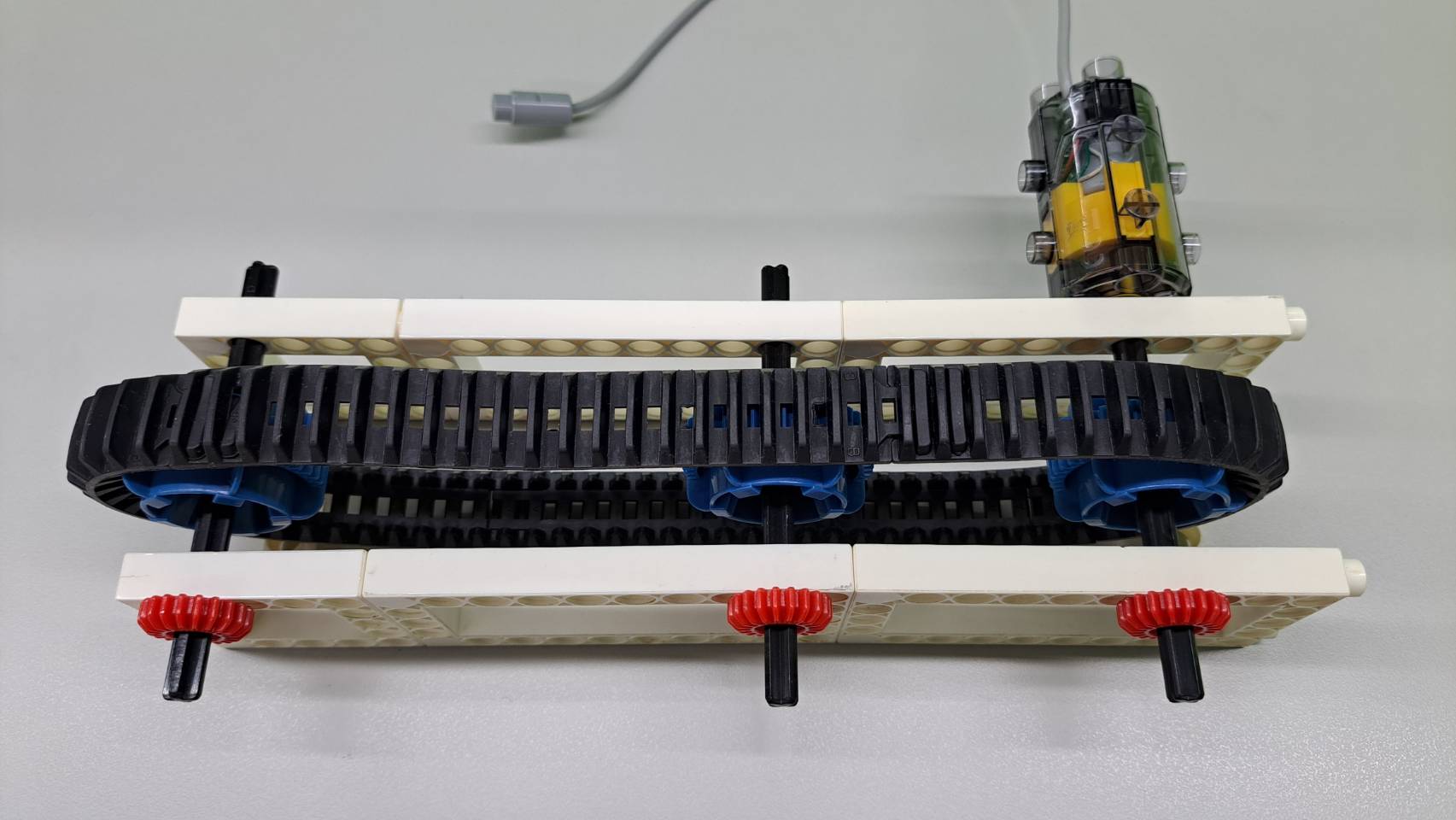
Step 5: Use C-5X5 FRAME and some C-LONG PEG to construct a support structure, allowing the AI control box to be installed on top.
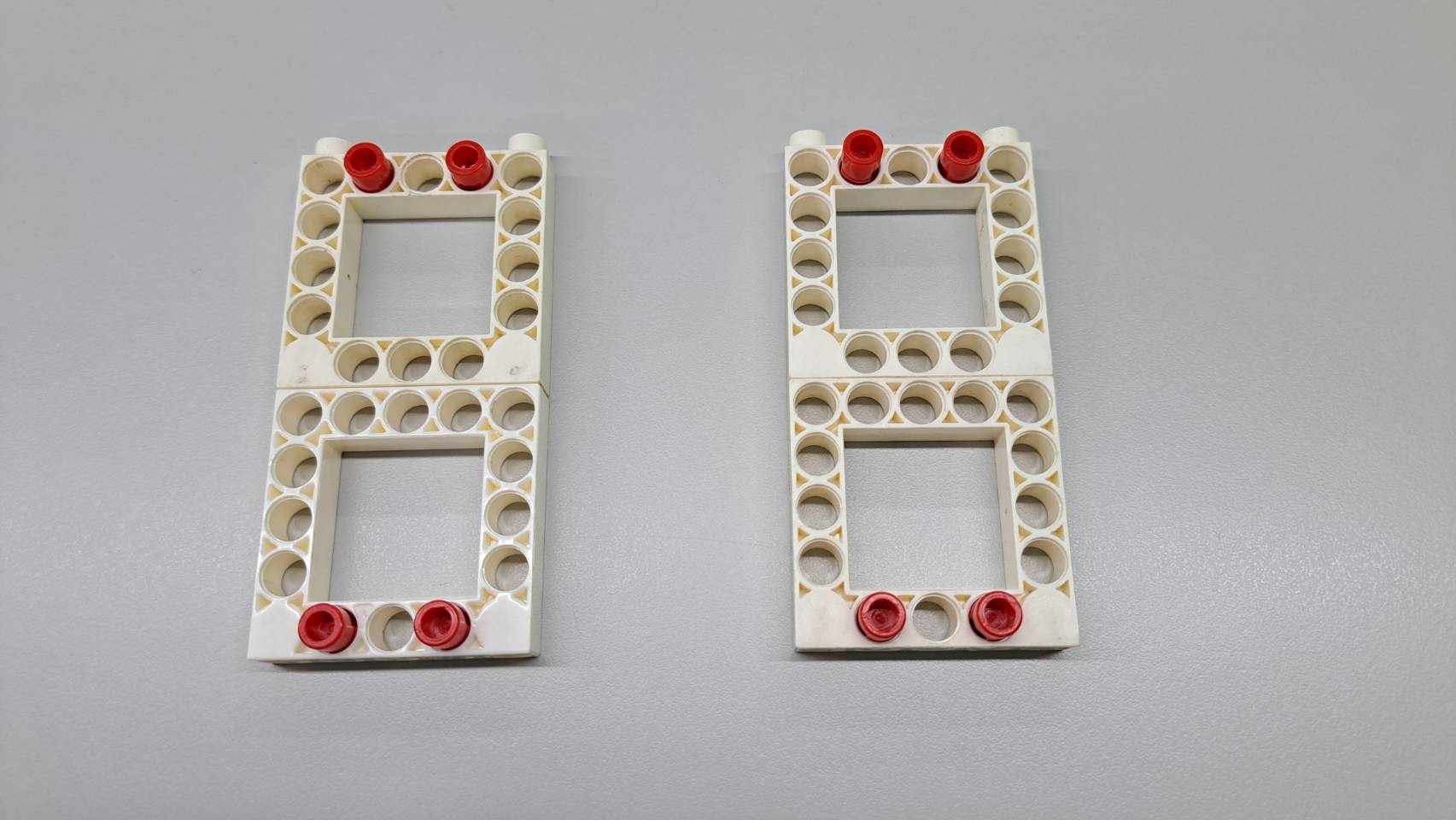
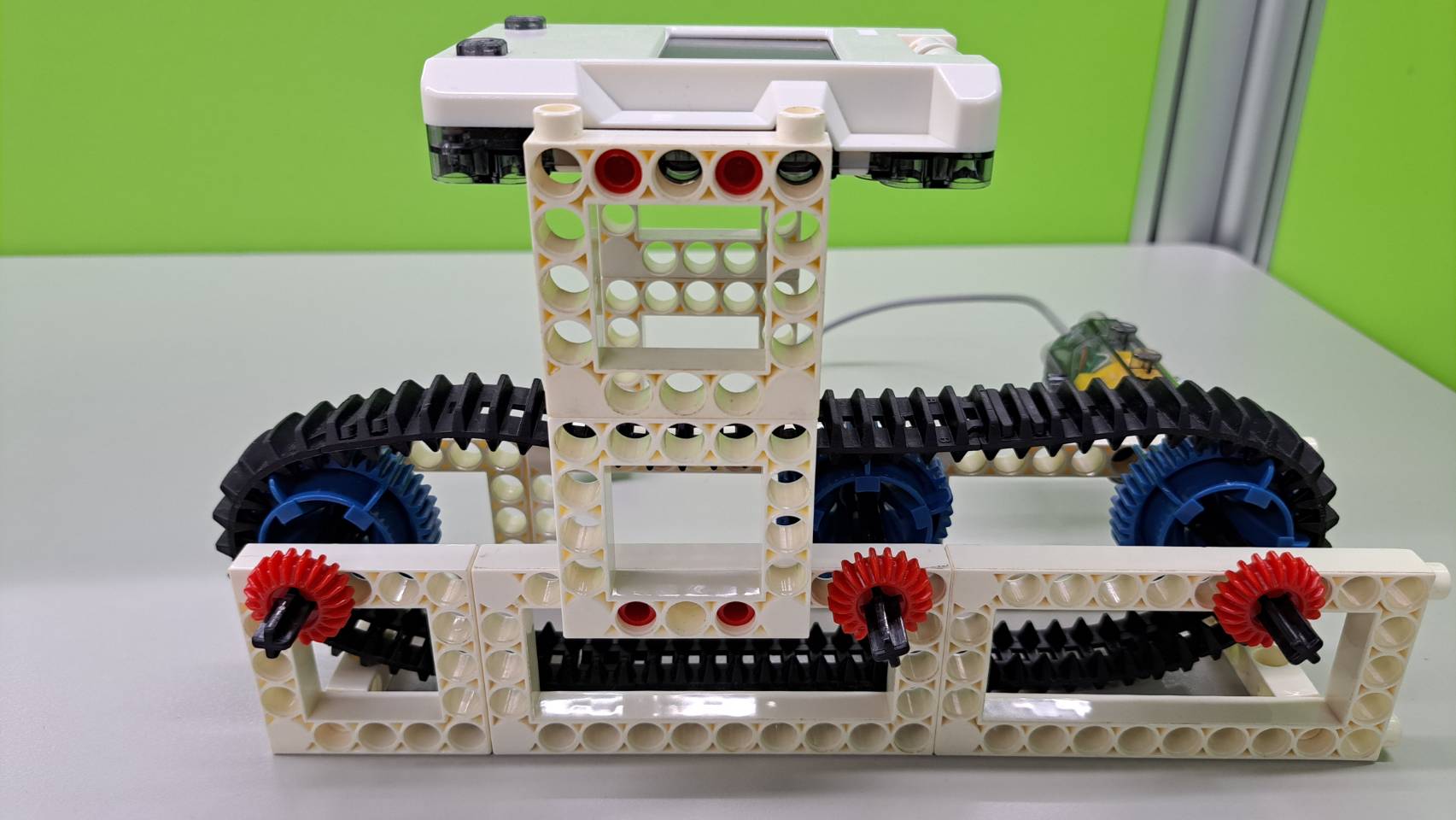
Step 6: Connect the two racks at the rear of the belt to complete the conveyor belt part.
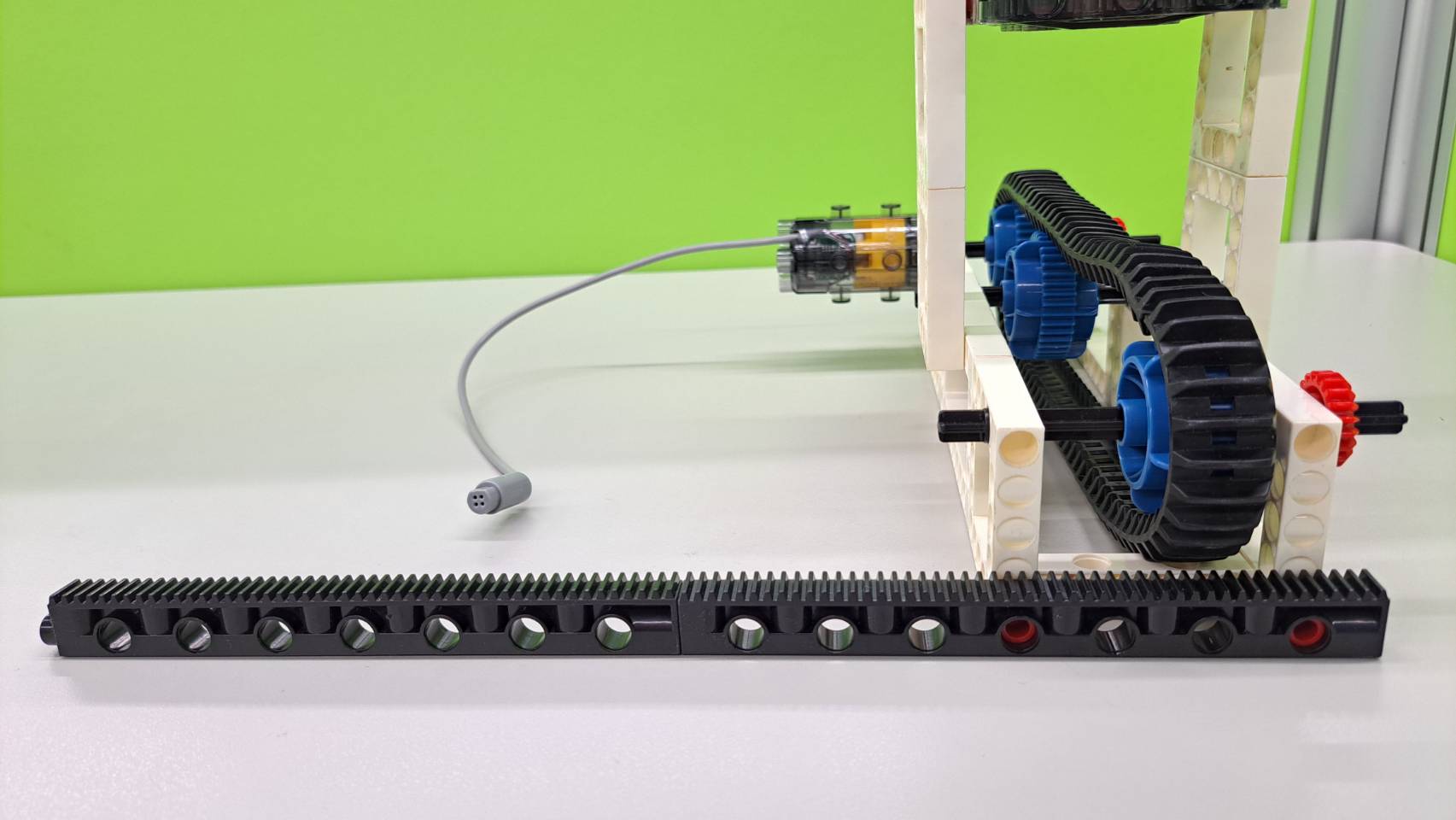
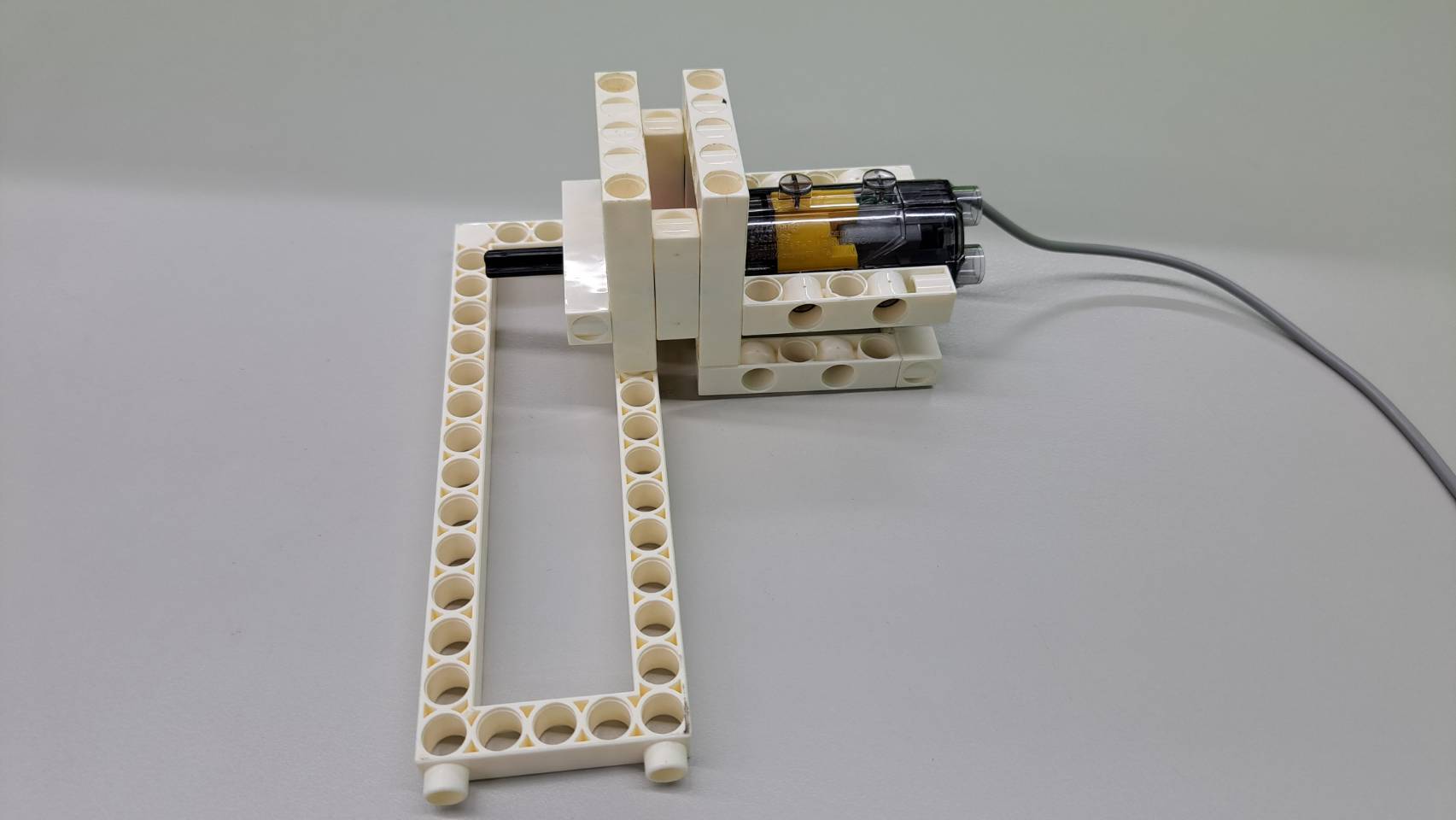
Step 7: Connect the motor with C-5X5 FRAME and a C-5 HOLE DUAL ROD to create a small frame as shown.
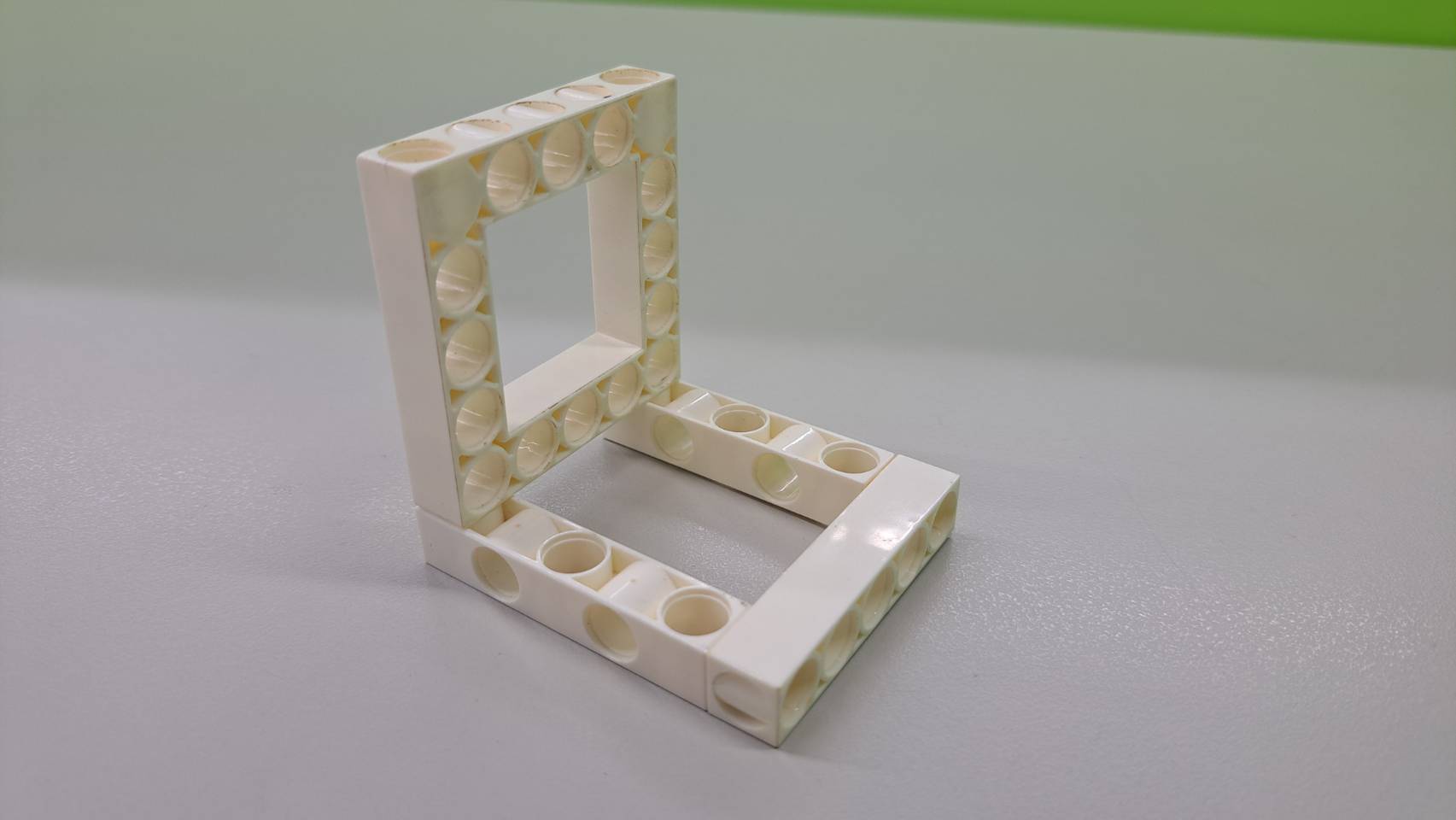
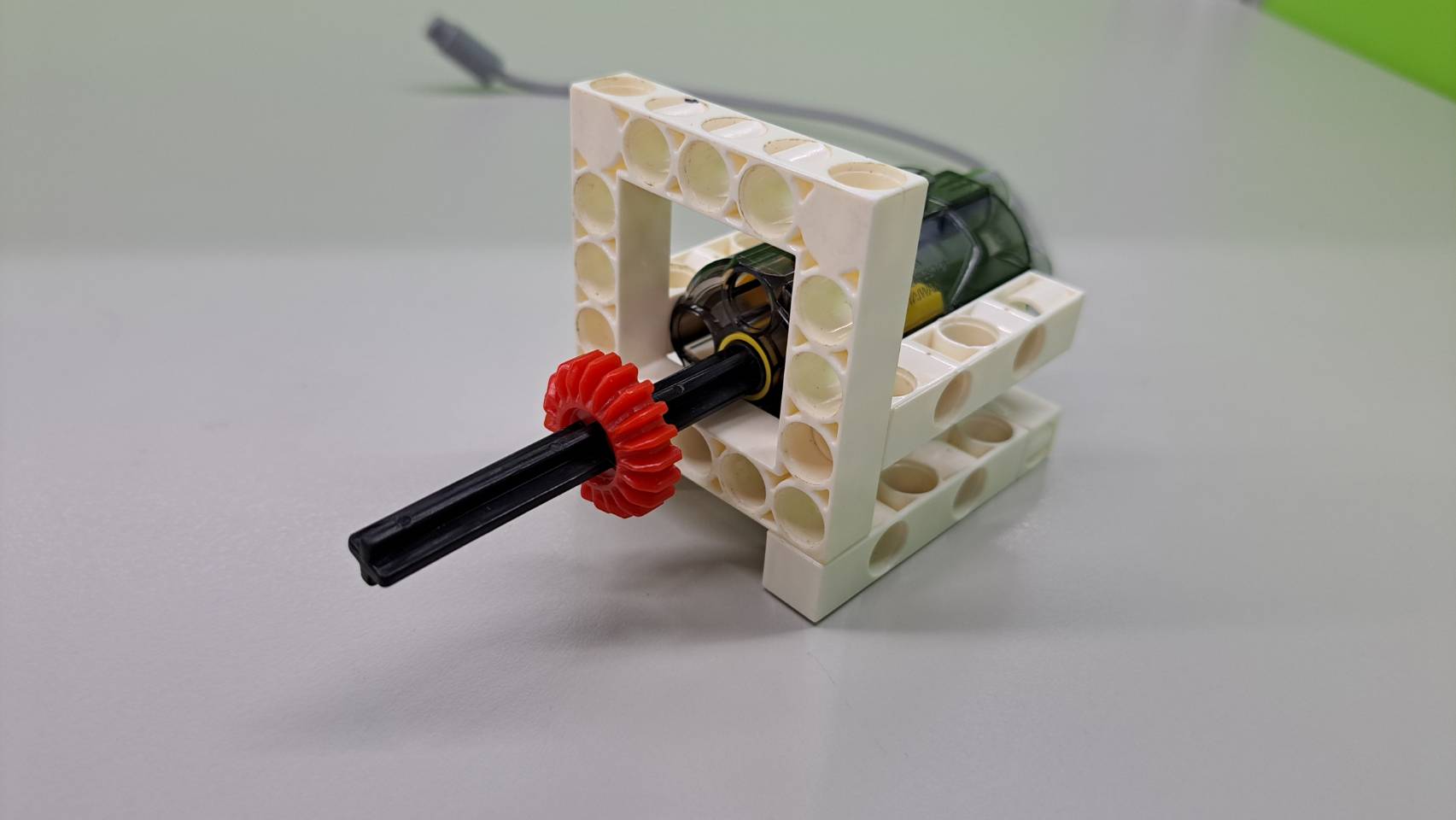
Step 8: Assemble the loading platform accordingly, and use C-3 HOLE ROD and B-SHORT PEG to connect it to Step 7 part.
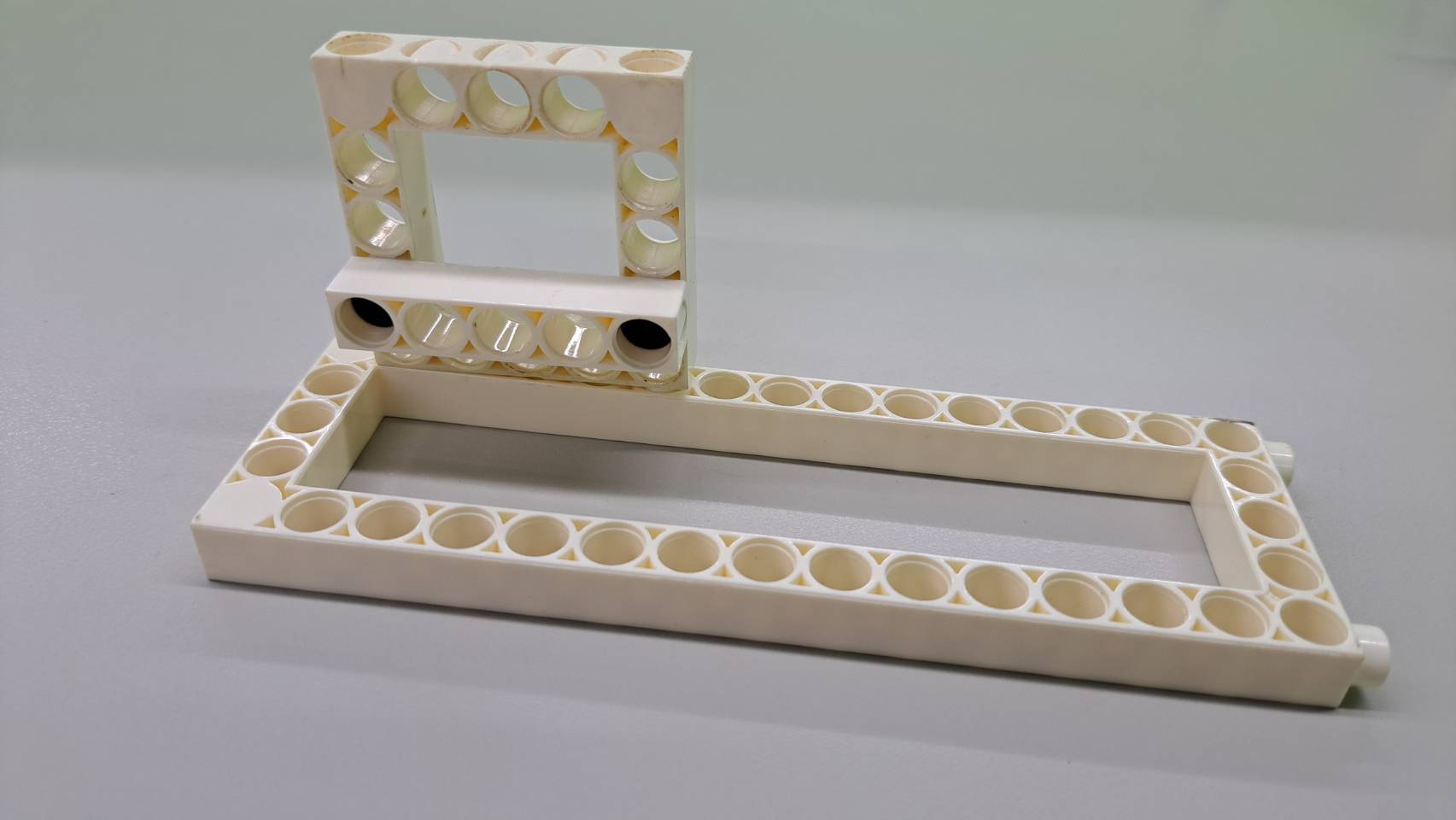
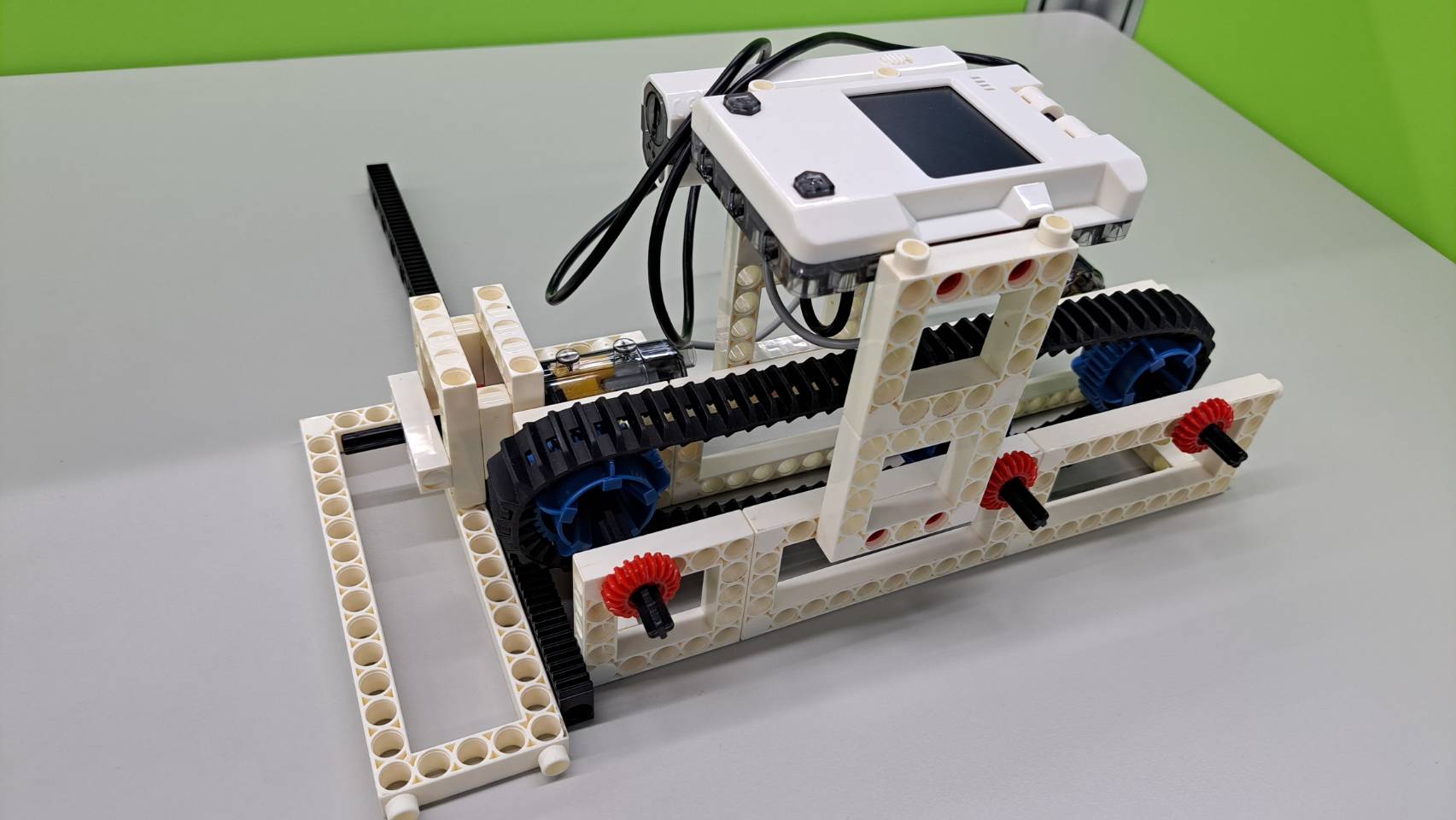
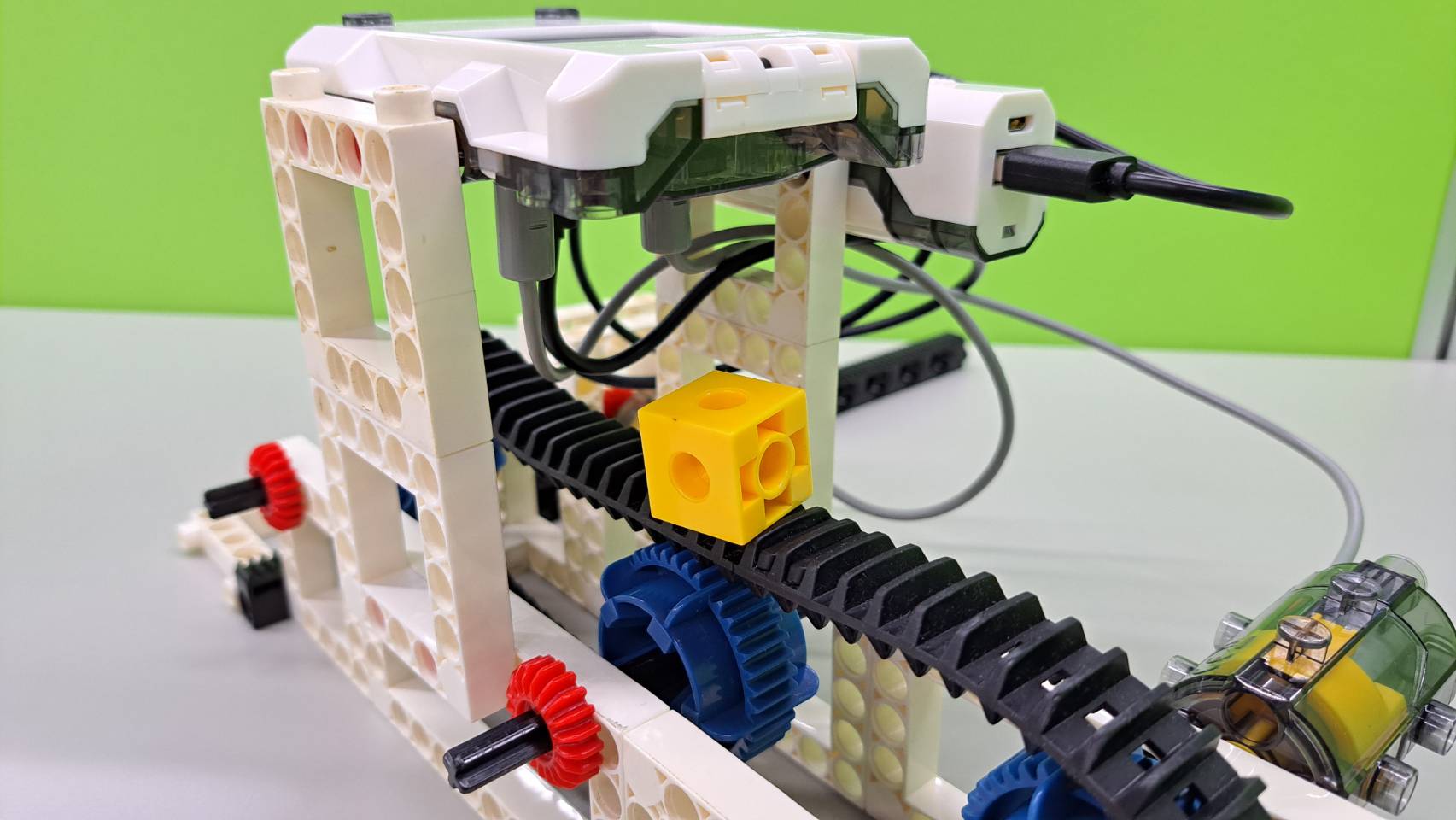
Step 9: Place the loading platform on the racks and connect the wiring to the AI control box, ensuring the pins are connected as shown.
* Programming Logic
Example program download link: https://reurl.cc/77LALk
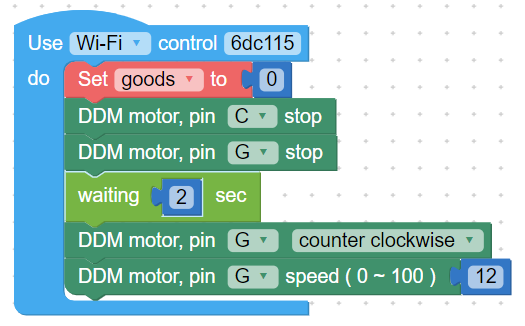
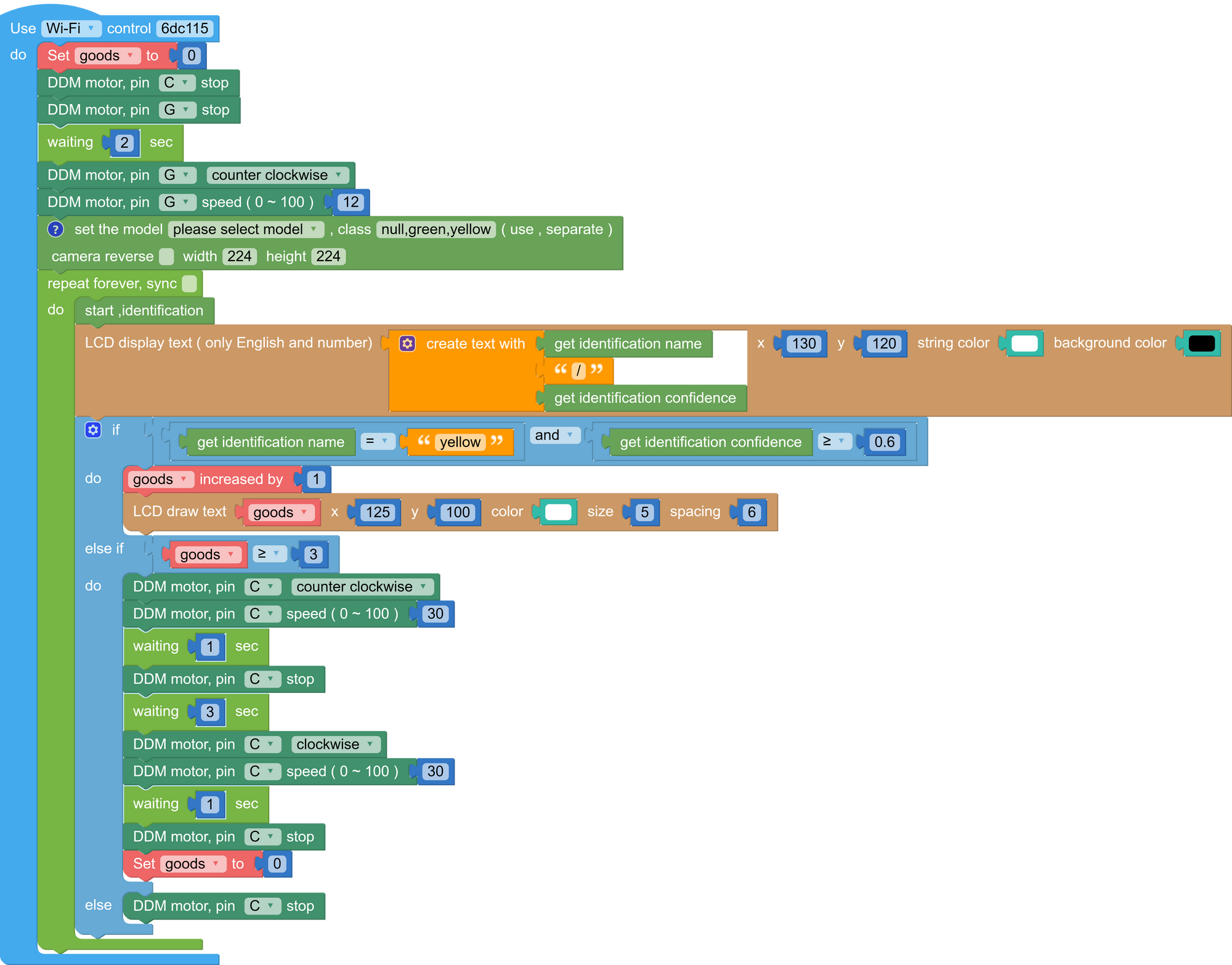
1. When the program starts, we set the variable 'goods' to 0 (indicating no goods are detected) ; stop the DDM motor and activate motor G (conveyor belt motor) to rotate after two seconds, which is to ensure that the motor speed is not too fast at the beginning.
p.s. Be sure to confirm that the main control box is connected to Wi-Fi, and key in the Device ID.
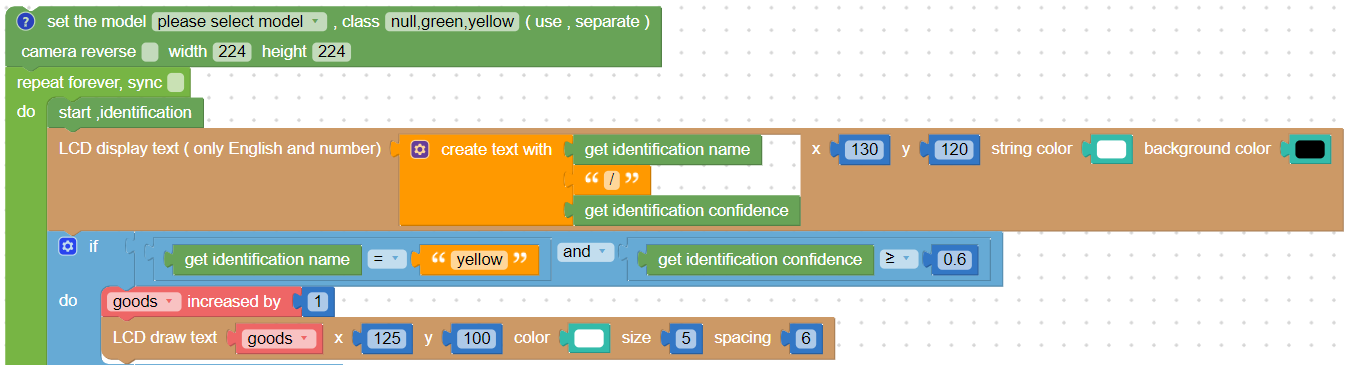
2. After the conveyor belt starts operating, it initiates the image recognition function. For the configuration and setup, you can refer to the Webduino tutorial. https://resource.webduino.io/docs/webai/advance/image-classification
When taking photos, you can place the building blocks on the platform for better recognition.
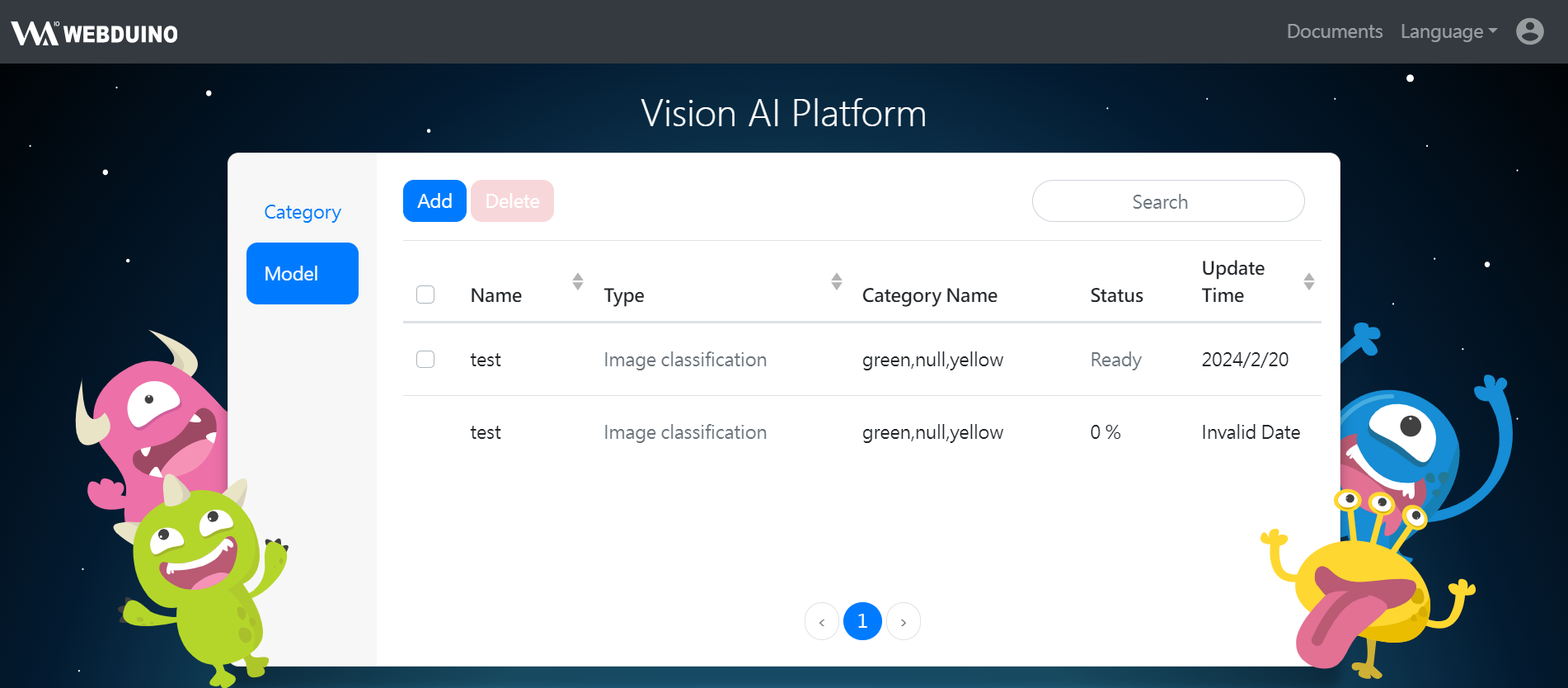
After capturing and uploading the photos to the image training platform, you have to download them to the main control box.
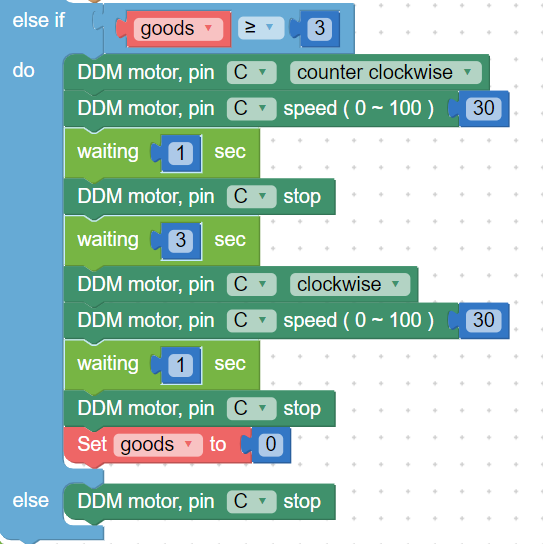
3. When three yellow blocks are detected, the loading platform (motor C) will start moving for one second, and stop for three seconds and then it will return to the original position to wait for the next shipment.
4. The complete program is as follows:
◆Production and Play (35 minutes)
1. Encourage students to complete the model and write the program on their own, and the teacher can help in a timely manner.
2. Students who complete the model can start modifying the program or the model to add more variation, such as identifying different objects.
◆Summary and Tidy up (10 minutes)
1. The teacher can summarize the lesson, introducing the application of AI in daily life.
2. Students should disassemble the model, sort the parts, and store them properly, being reminded to use a peg remover for disassembly instead of forcing parts apart.
◆Scientific Principle
The scientific principle used in this model is "image recognition."
Image recognition is constructed through the principles of machine learning and deep learning. Here we use the example of dog classification:
In machine learning, data on all features of a dog, such as shape, color, patterns, etc., are selected by human knowledge. Some features are then chosen from the data, and a model is trained based on the selected data to make judgments.
In deep learning, instead of human-selected feature extraction, AI learns how to extract features autonomously from a large amount of data. In other words, the features of a dog are composed by the data we provide, and the model learns the differences in feature extraction of dogs on its own.
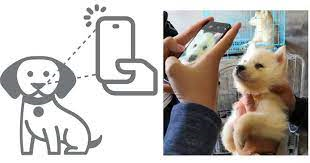
Currently, image recognition is widely applied in various fields, assisting doctors in interpreting conditions like diagnosing retinal diseases, and detecting defective products in factory settings.
◆Postscript
The field of image recognition has been flourishing in recent years, encompassing applications such as smart homes, autonomous vehicles, production defect detection, security surveillance, medical imaging, and more. Achieving high accuracy in image recognition relies significantly on preprocessing of image data. Taking this model as an example, factors such as the angle, lighting, scope, and environment of the photographed building blocks can all impact the model's recognition accuracy.
So far, we have applied functionalities such as speech recognition, facial recognition, object tracking, and image recognition to create creative models. The educational time machine project has also come to a conclusion. We look forward to everyone's anticipation for new adventures ahead!
Keywords:
Programming education, AI (Artificial Intelligence), machine learning, deep learning, image recognition, and smart factories.
Curriculum(NGSS):
3-PS2-1 Plan and conduct an investigation to provide evidence of the effects of balanced and unbalanced forces on the motion of an object.
3-5-ETS1-1 Define a simple design problem reflecting a need or a want that includes specified criteria for success and constraints on materials, time, or cost.
3-5-ETS1-2 Generate and compare multiple possible solutions to a problem based on how well each is likely to meet the criteria and constraints of the problem.
Please sign in to vote.