[Educational Time Machine EP11] I've got you locked! Webduino x smart electric fan

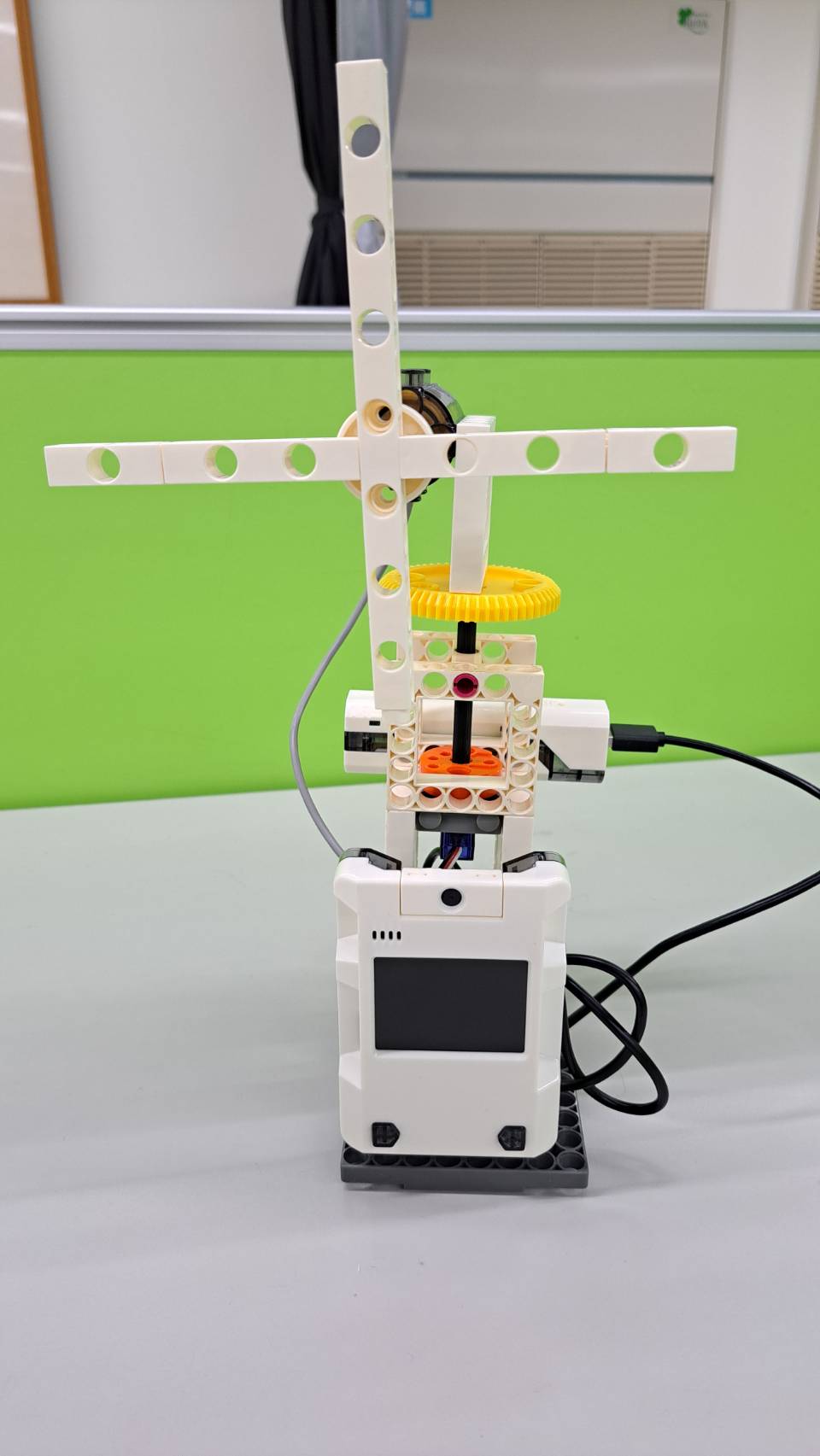
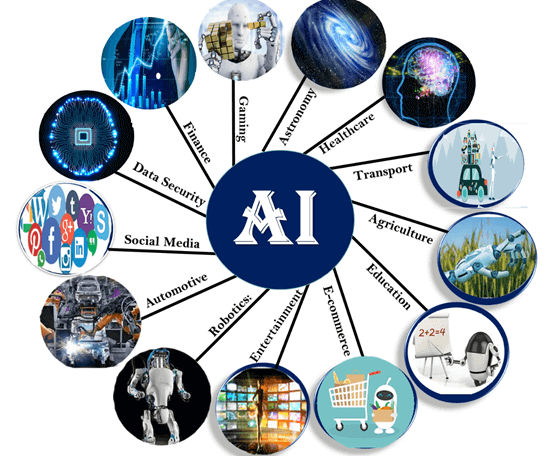
When it comes to the applications of AI in daily life, the most common functionalities include image recognition, facial recognition, voice recognition, object tracking, and more. These fundamental features enable us to design practical products such as access control systems, sorting machines, or translation software. Through the powerful data analysis and learning capabilities of AI, it often surpasses human accuracy.
We have previously explored the functions of facial recognition and voice recognition in Educational Time Machine EP9 and EP10. Today, with the #1206 AI EDUCATIONAL BLOCKS, let's create a smart electric fan that can track objects!
◆Preparation (10 minutes)
1. Learners are required to update the main control box firmware, connect to Wi-Fi.
Programming Webpage Link: https://webai.webduino.io/#/
Main Control Box Firmware Update Tutorial Video: https://youtu.be/jg0YLk8R4uY
Wi-Fi Connection Tutorial Video: https://youtu.be/32Z_JbBpHxo
2. Prepare the parts needed for the model.
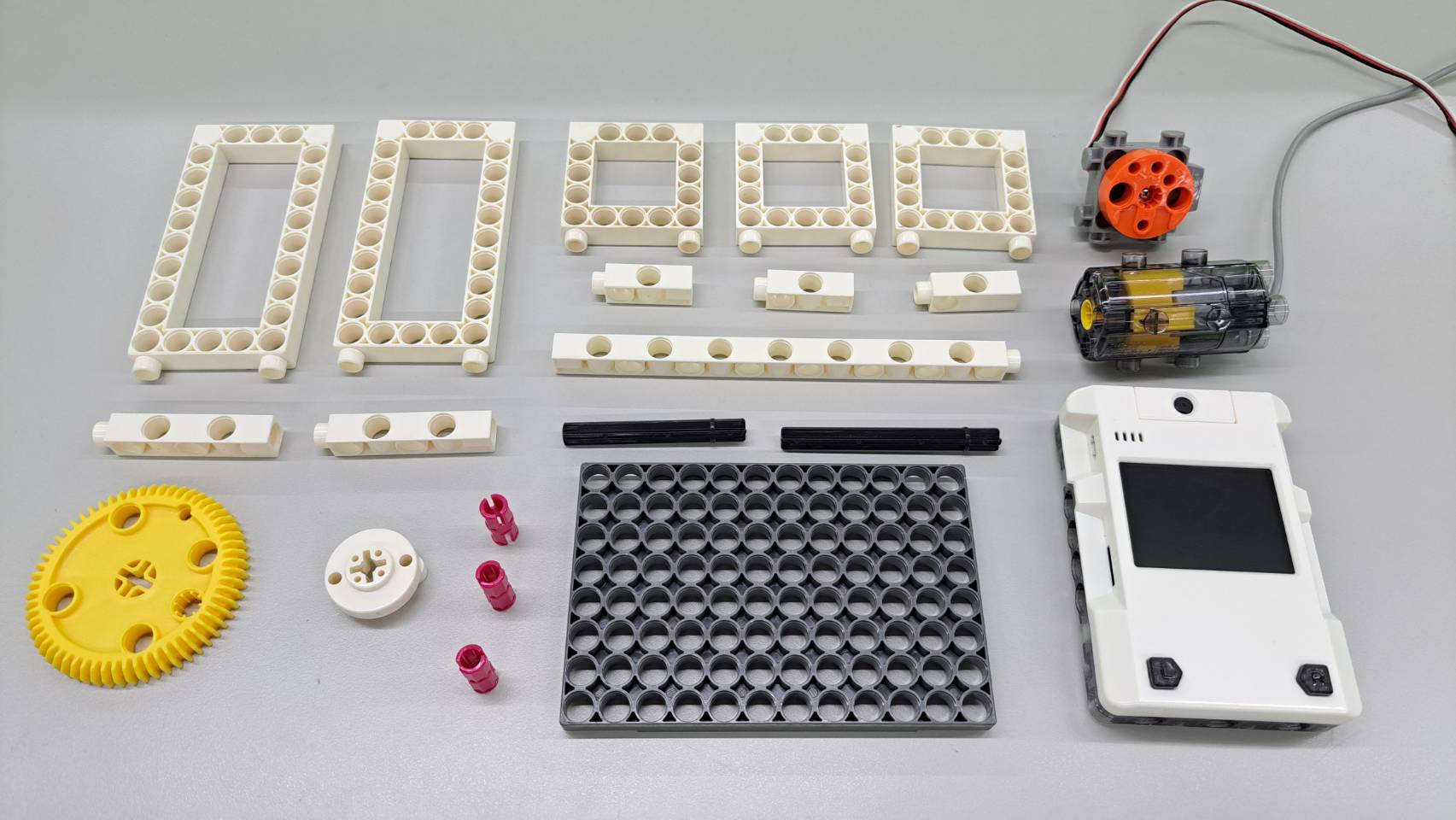
◆Demonstration of model making (35 minutes)
You can follow the assembly steps to make the model step by step.
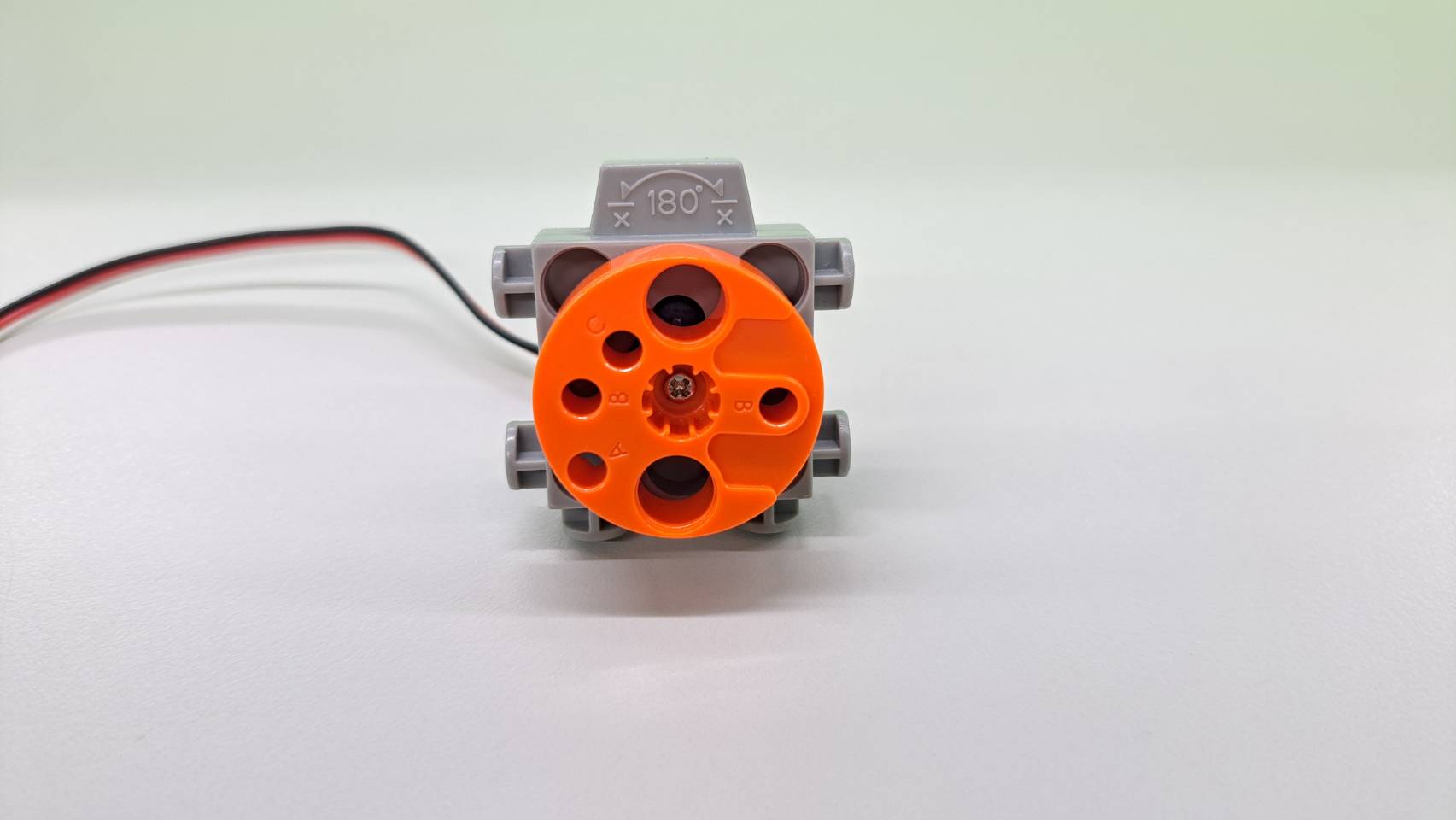
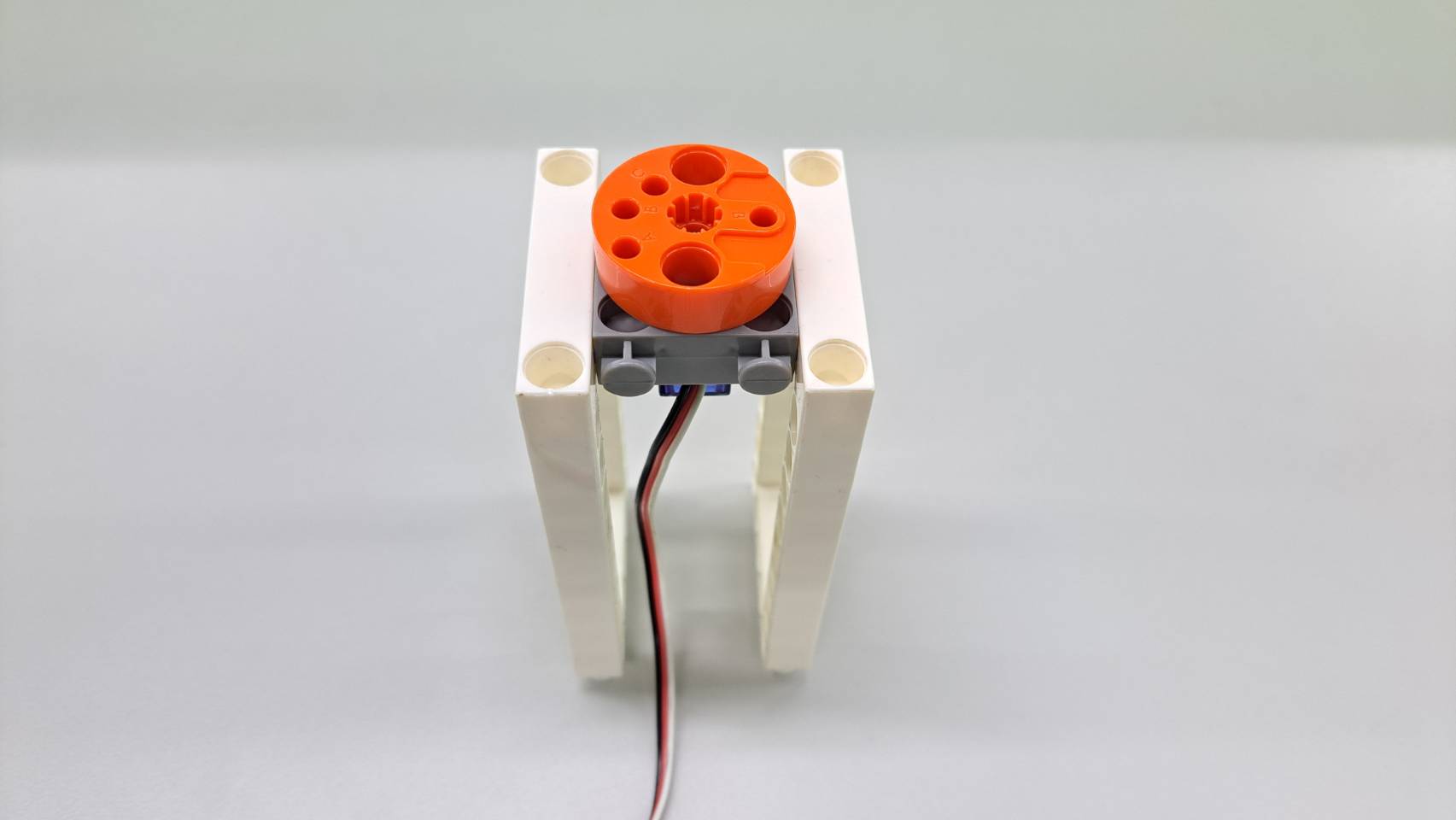
Step 1: Rotate the C-180° SERVO MOTOR to 90 degrees and assemble it in the middle of two C-5x10 FRAME s, as shown.
Do not manually rotate the C-180° SERVO MOTOR to prevent motor damage.
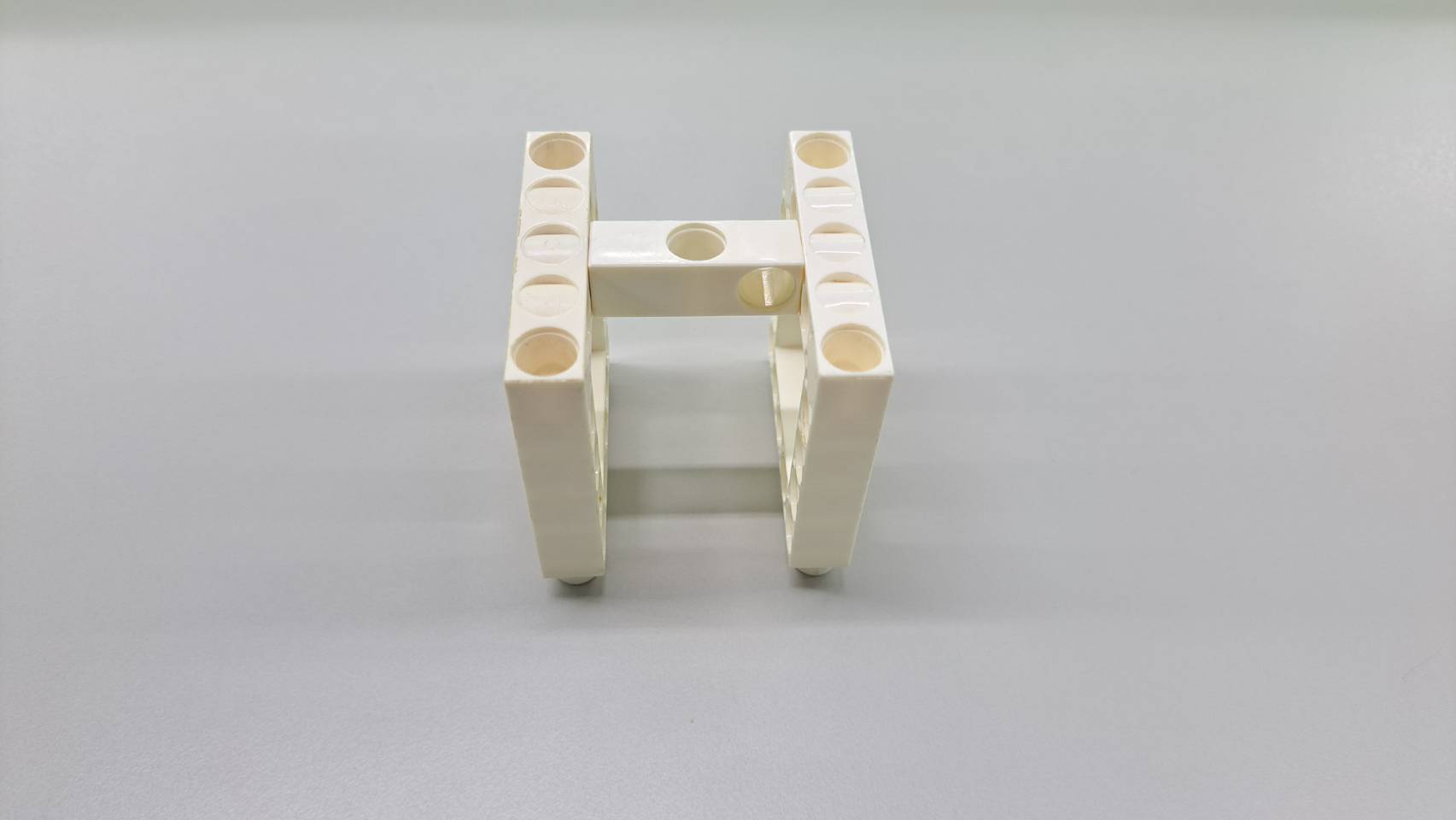
Step 2: Connect two C-5X5 FRAME with a C-3 HOLE DUAL ROD, and then place them on a C-5X10 FRAME.
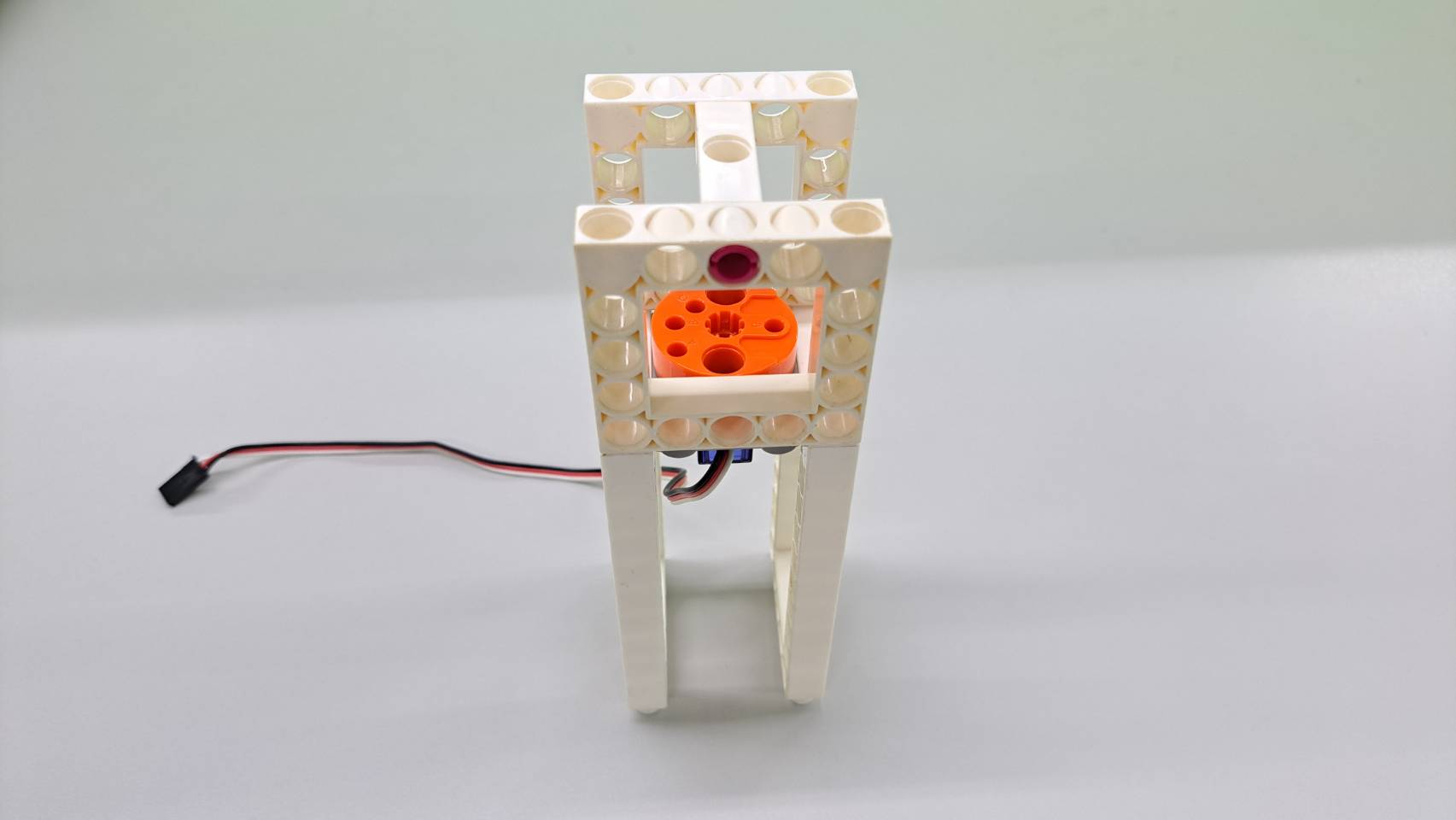
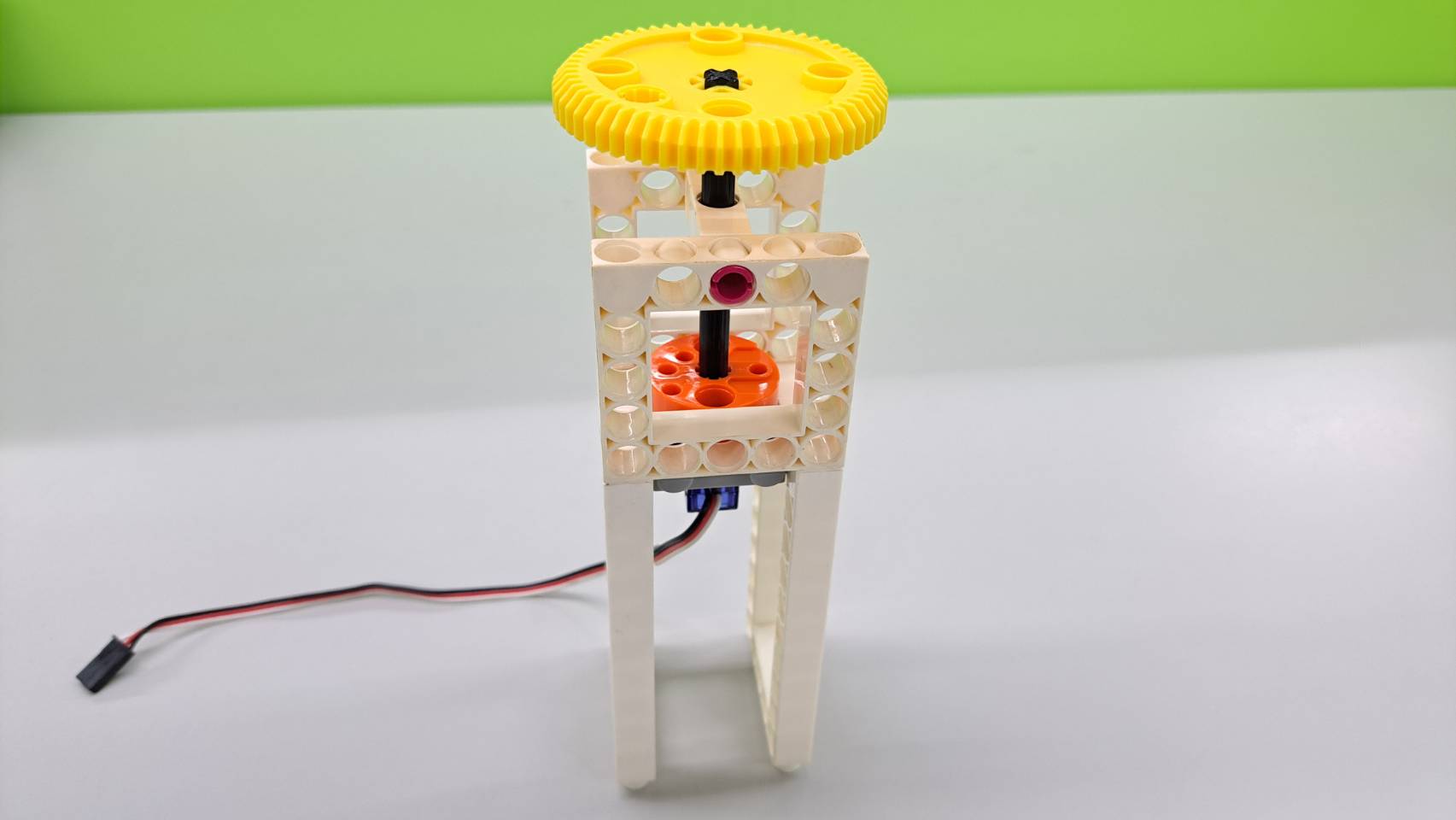
Step 3: Thread an axle, at least 70mm in length, through the C-180° SERVO MOTOR and a C-3 HOLE DUAL ROD, then place a C-40T GEAR on top.
Step 4: Create the motor and fan blades separately, and design the fan blades as desired.
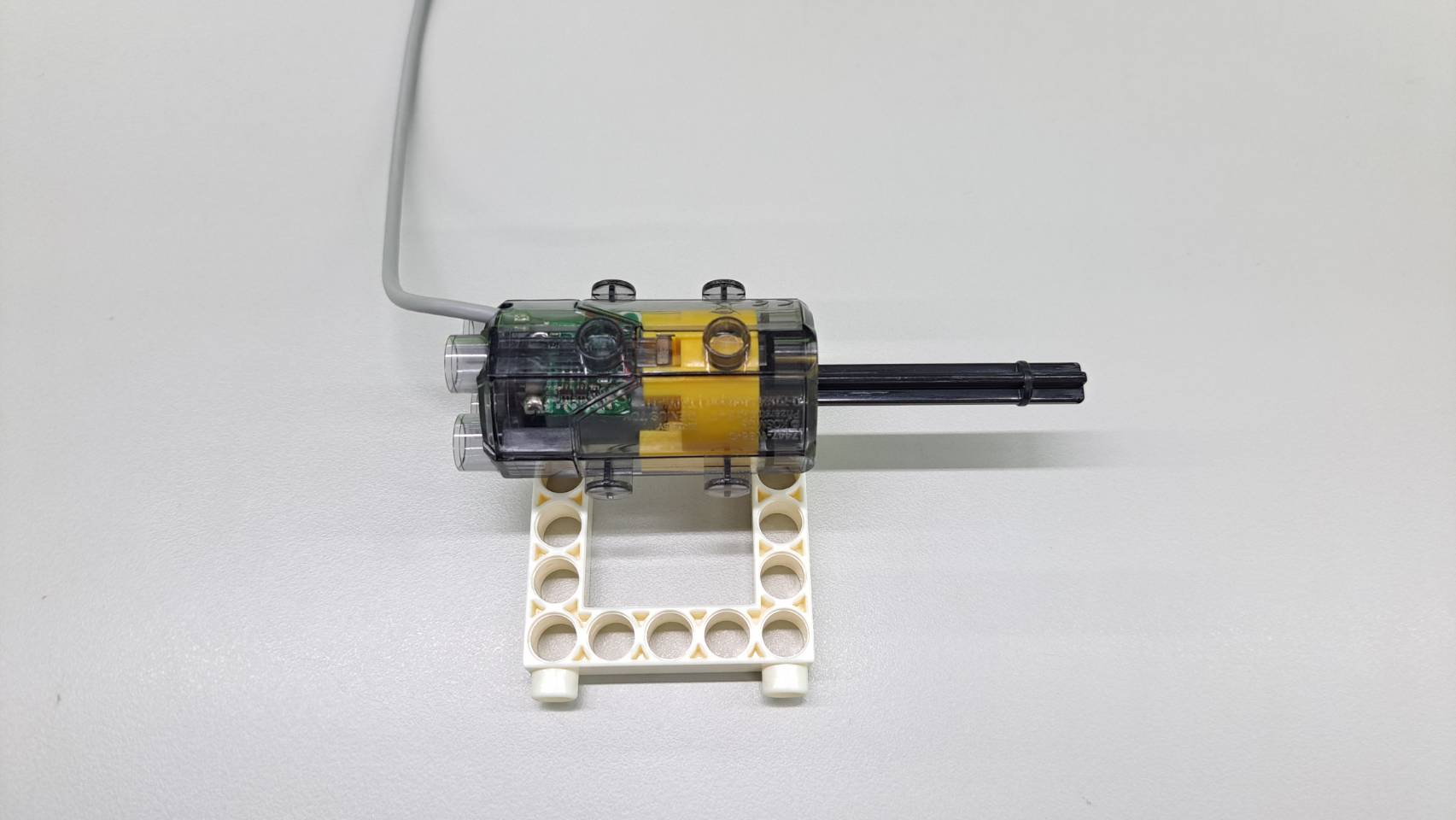
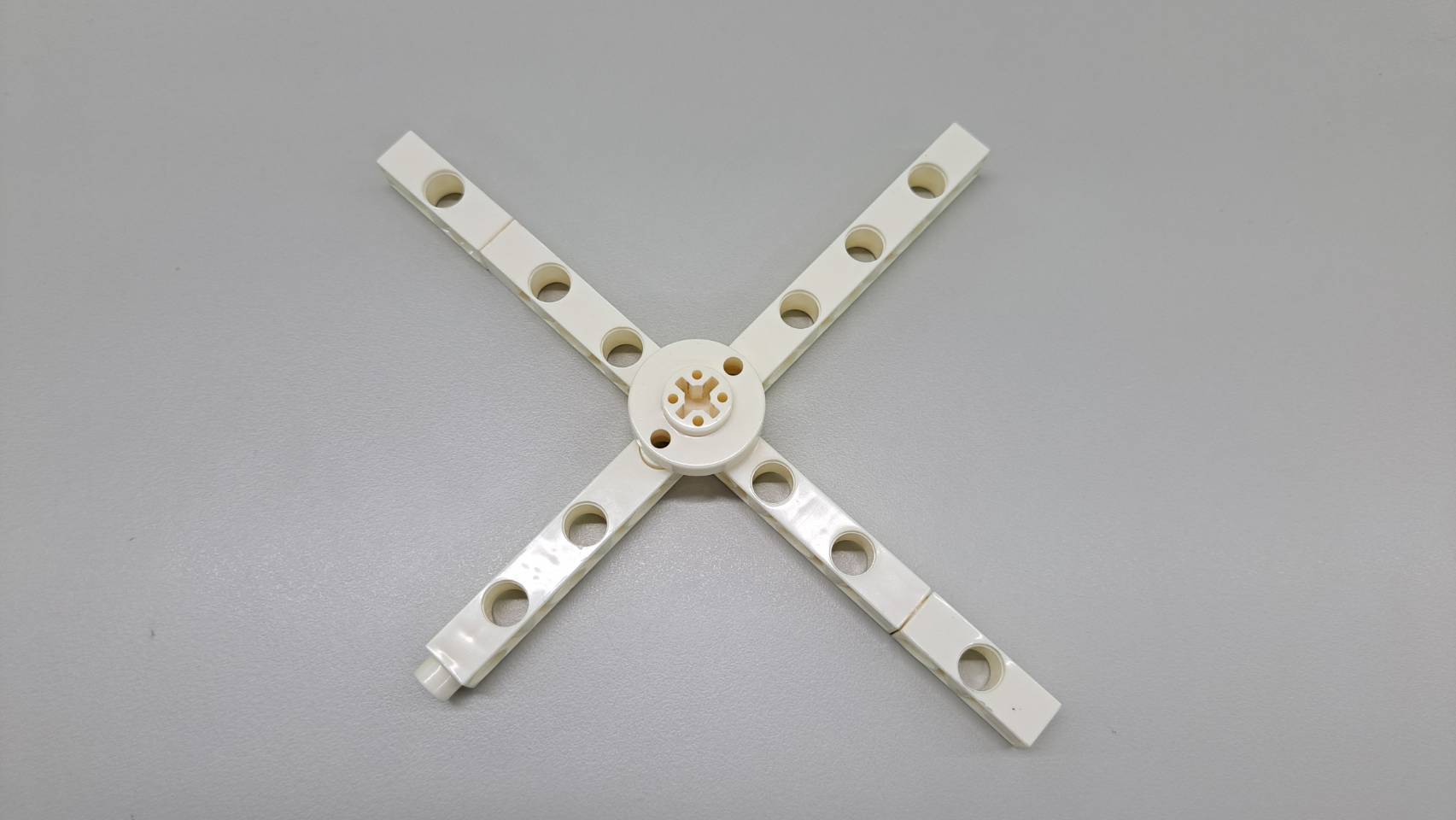
Step 5: Connect the main structure, motor, and fan blades to complete the electric fan model.
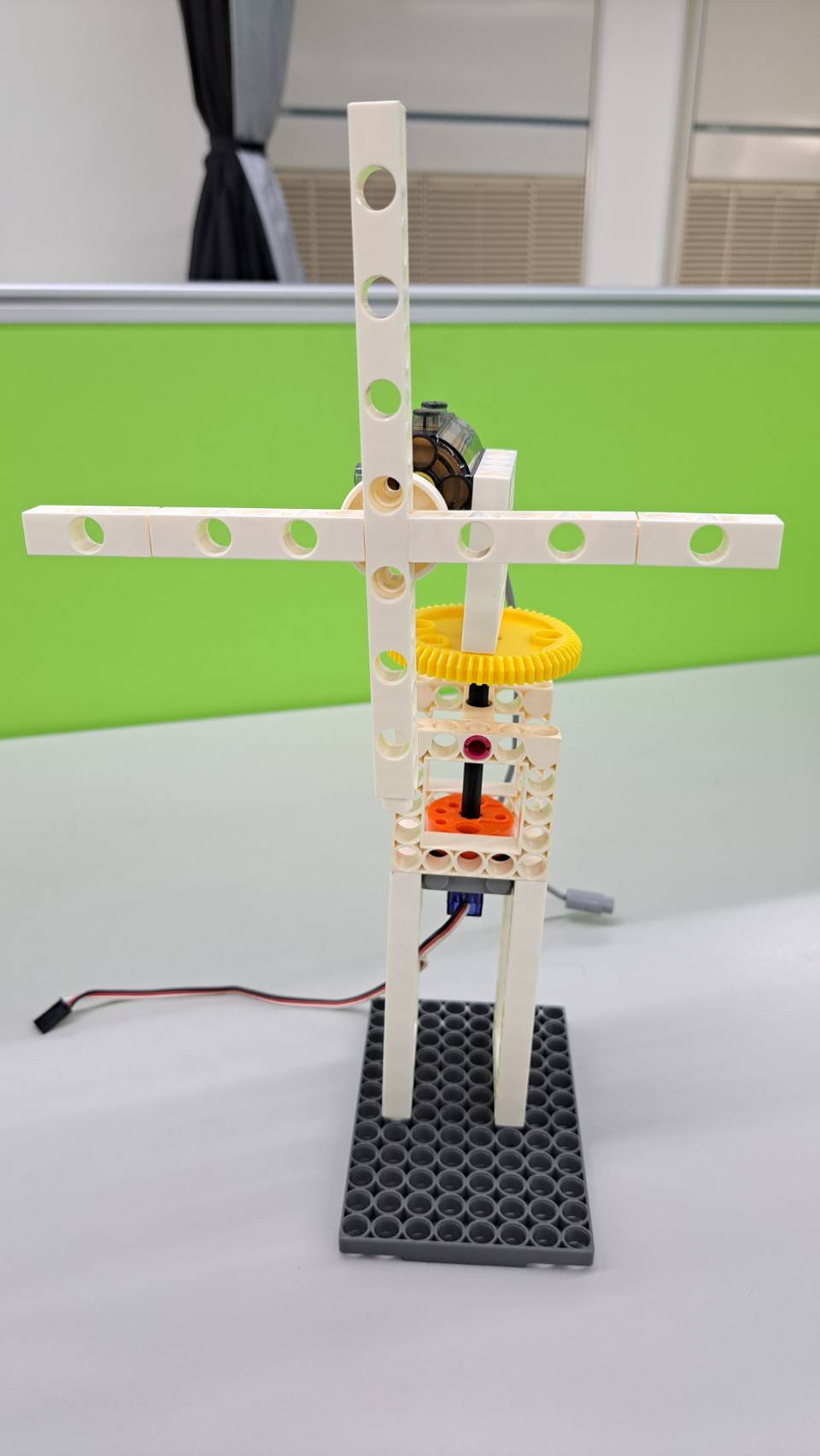
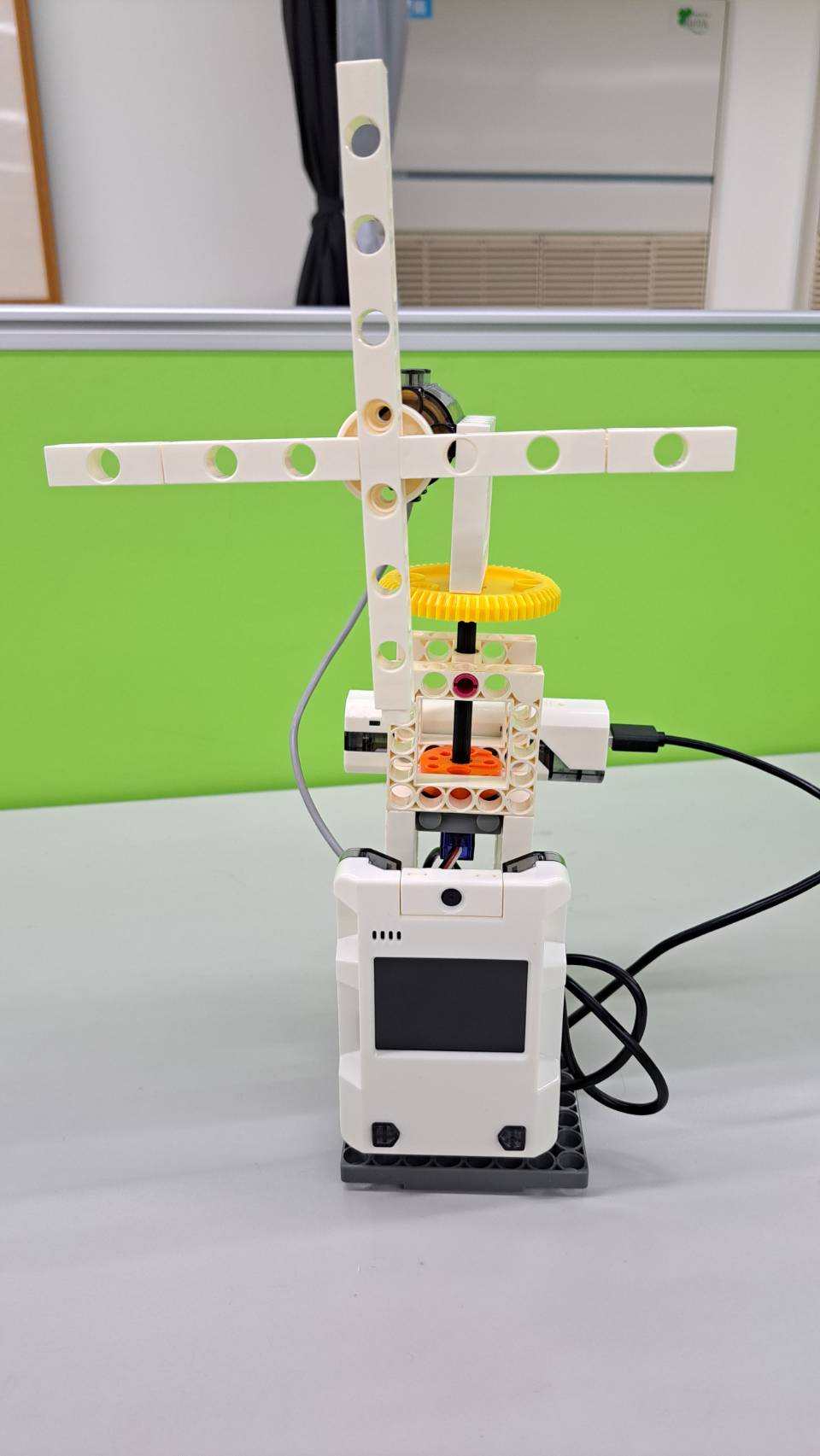
Step 6: Place the C-Gigo AI CONTROL BOX at the front and the C-Gigo LITHIUM BATTERY HOLDER at the back, connecting the pins as shown.
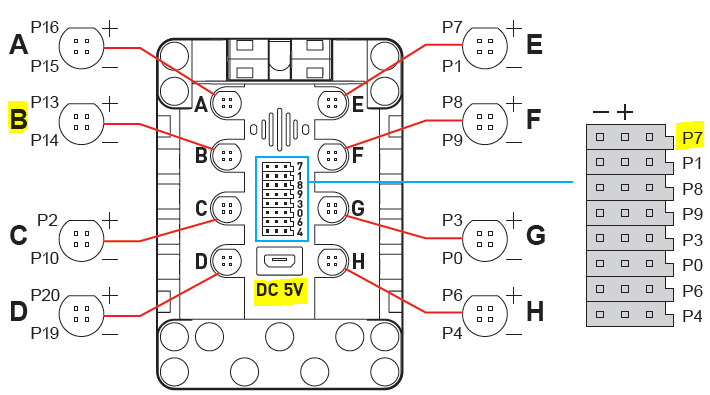
* Programming Logic
Example program download link: https://reurl.cc/o5xaOl
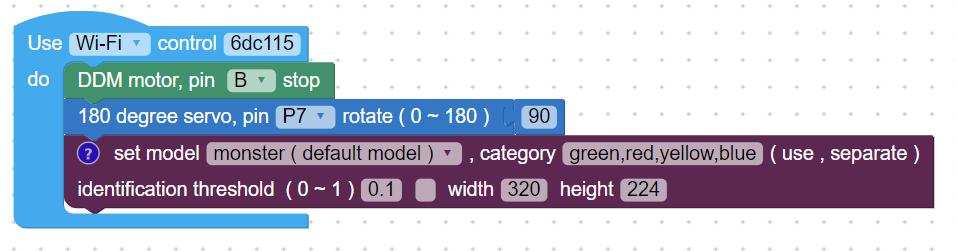
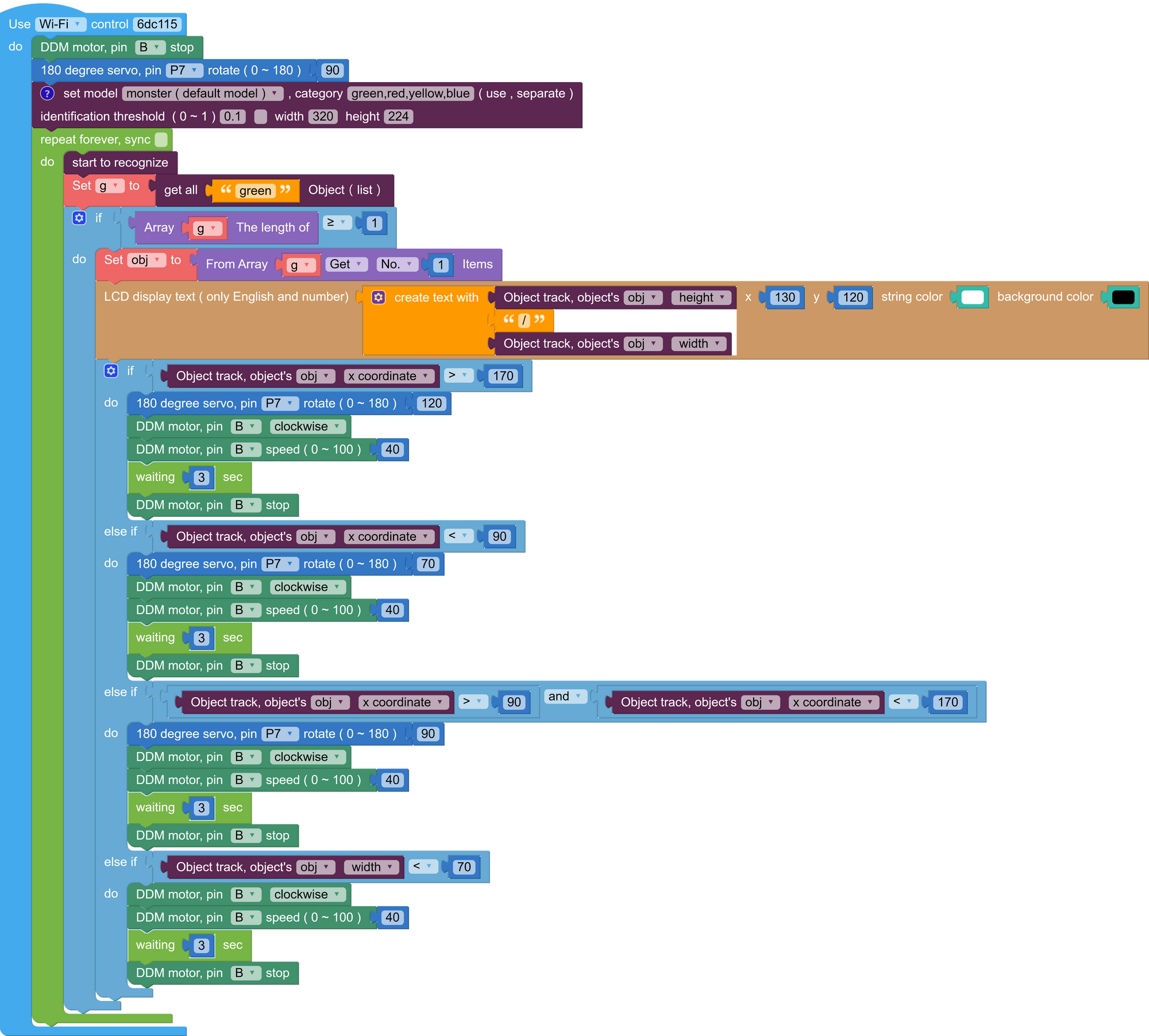
1. When the program starts, the DDM motor stops, the 180-degree servo motor returns to a 90-degree angle, and the object recognition is set to identify small monster cards.
Be sure to confirm that the main control box is connected to Wi-Fi, and key in the Device ID.
If you want to recognize objects other than small monsters, you need to train them yourself on the image training platform.
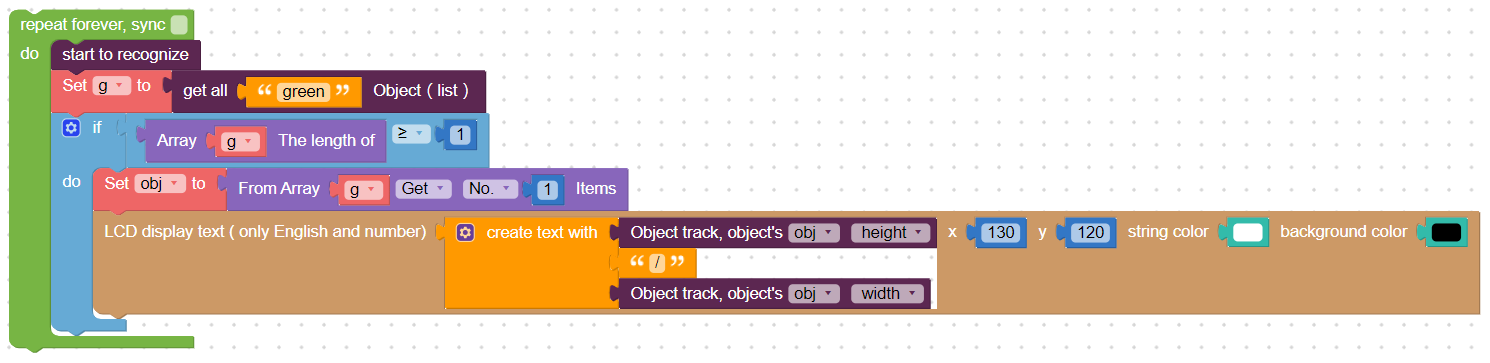
2. Start the object tracking function. When Webduino recognizes an object, the obtained value is 1. Therefore, the condition must be set as >=1, indicating that an object has been recognized. After recognition, it simultaneously displays the size of the object.
3. Set up 4 conditional statements as follows:
If x-coordinate > 170 (paper card on the right), rotate the electric fan to 120 degrees and turn the fan.
If x-coordinate < 90 (paper card on the left), rotate the electric fan to 70 degrees and turn the fan.
If 90 < x-coordinate < 170 (paper card in the middle), rotate the electric fan to 90 degrees and turn the fan.
If object width < 70 (paper card moved out of the camera's view), stop the motor."
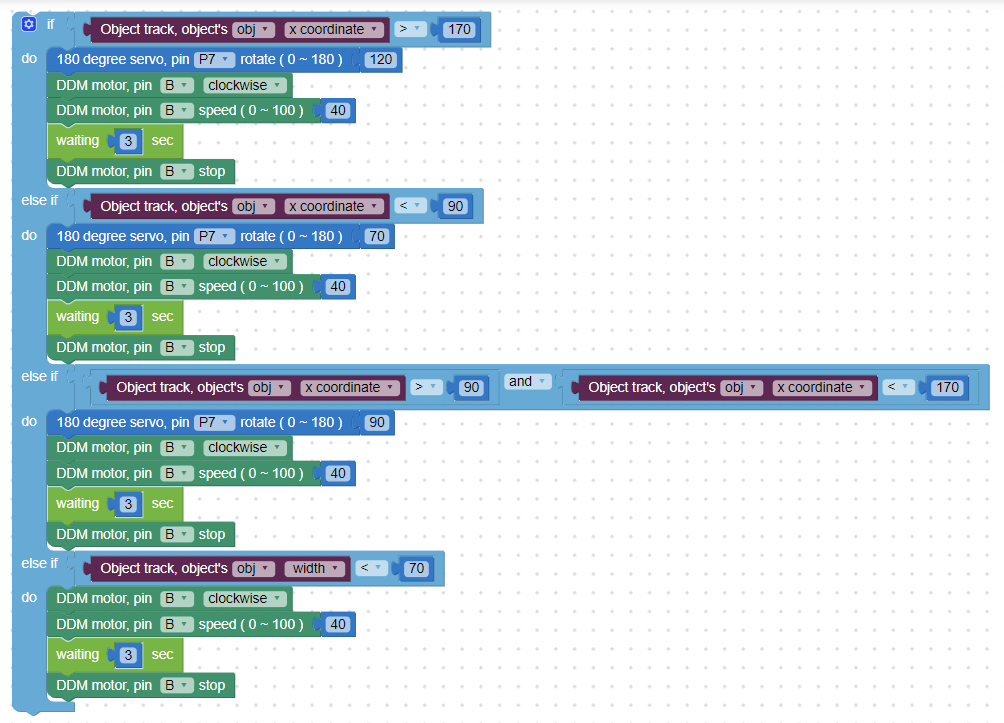
4. The complete program is as follows:
◆Production and Play (35 minutes)
1. Encourage students to complete the model and write the program on their own, and the teacher can help in a timely manner.
2. Students who complete the model can start modifying the program to add more variation, such as changing the rotating speed of fan blades.
◆Summary and Tidy up (10 minutes)
1. The teacher can summarize the lesson, introducing the application of AI in daily life.
2. Students should disassemble the model, sort the parts, and store them properly, being reminded to use a peg remover for disassembly instead of forcing parts apart.
◆Scientific Principle
The scientific principle used in this model is “Object Tracking.”
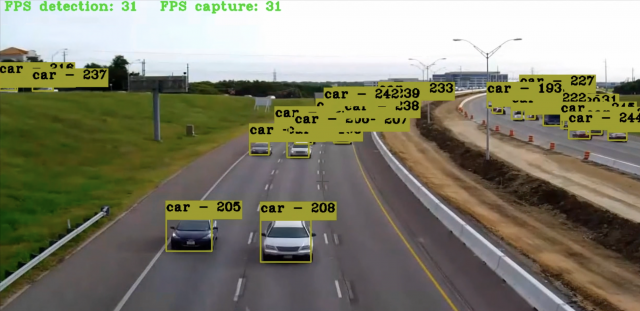
Object Tracking is a technological system designed to identify and track specific objects in videos or images. Once the target object is identified, the object tracking system continuously detects the position of the object until it leaves the field of view or the task is completed.
Object tracking technology is commonly used in various systems that require real-time responses, such as surveillance and security systems, autonomous vehicles, and robotics. It aids in identifying and tracking moving objects such as vehicles, people, and animals.
◆Postscript
Object tracking technology is typically capable of tracking objects at or near real-time speeds, which is crucial for applications requiring immediate feedback, such as surveillance systems and autonomous vehicles. However, the precision of object tracking can be easily influenced by environmental factors like occlusion, object congestion, low resolution, etc., leading to identification errors or tracking deviations.
AI has widespread applications in our daily lives, and let's look forward to the upcoming adventures of the Educational Time Machine!
Keywords:
Program education. AI (Artificial Intelligence). Machine learning. Deep learning. Object tracking. Smart electric fan.
Curriculum(NGSS):
3-PS2-1 Plan and conduct an investigation to provide evidence of the effects of balanced and unbalanced forces on the motion of an object.
3-5-ETS1-1 Define a simple design problem reflecting a need or a want that includes specified criteria for success and constraints on materials, time, or cost.
3-5-ETS1-2 Generate and compare multiple possible solutions to a problem based on how well each is likely to meet the criteria and constraints of the problem.
Please sign in to vote.